Calendars

Every calendar you manage, finally in one place.

Recal brings your stays and blocked dates together, so everyone works from the same dates.
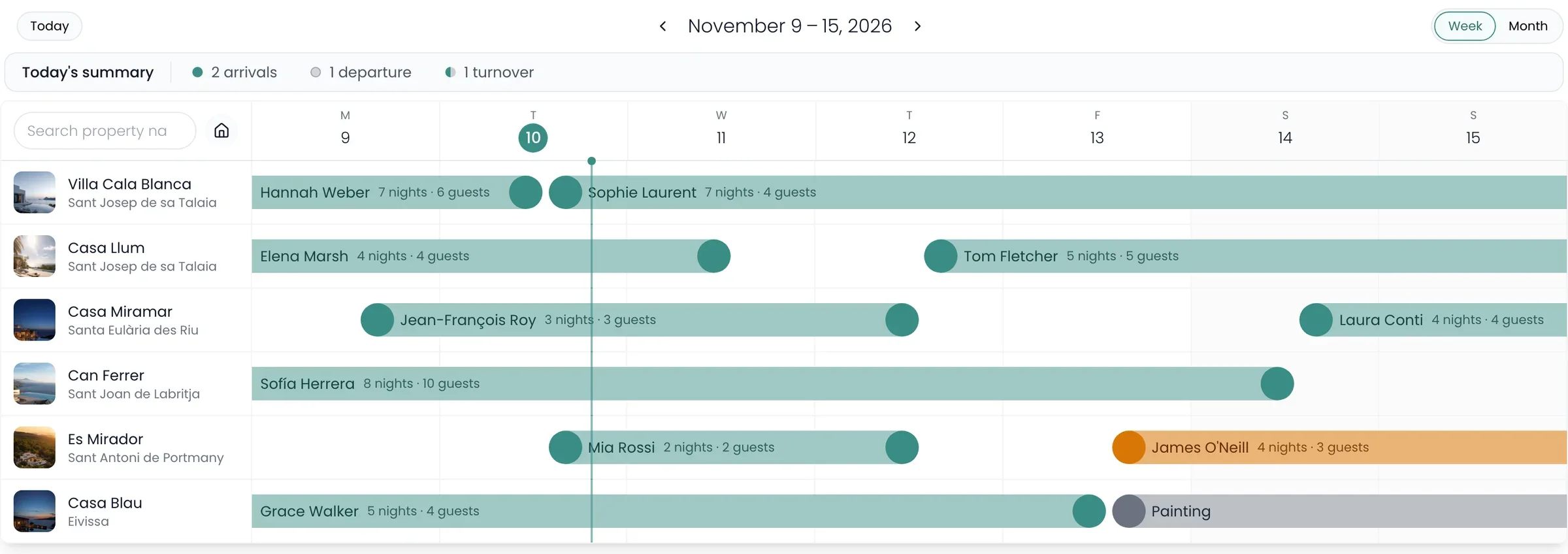
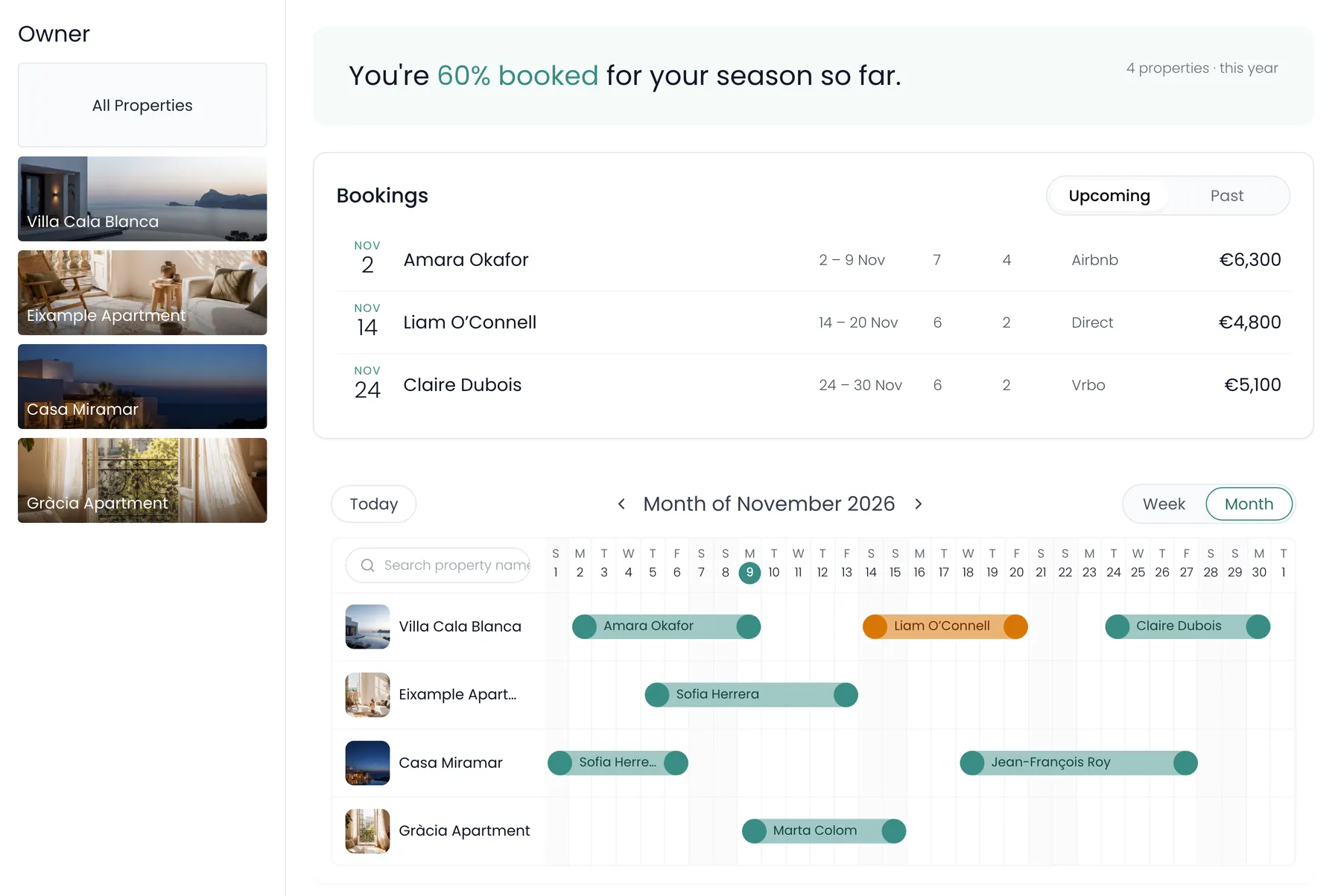
The multi-property calendar for the week of 9 November: today’s arrivals, departures and turnovers, and six homes with each stay drawn from check-in to check-out

The problem

A printed calendar is out of date the moment you send it.

The usual way is a sheet for each home, with the stays marked by hand. Then a stay changes, and nobody knows which copy is right.

Before

Paper calendars, highlighted by hand, one for each home.
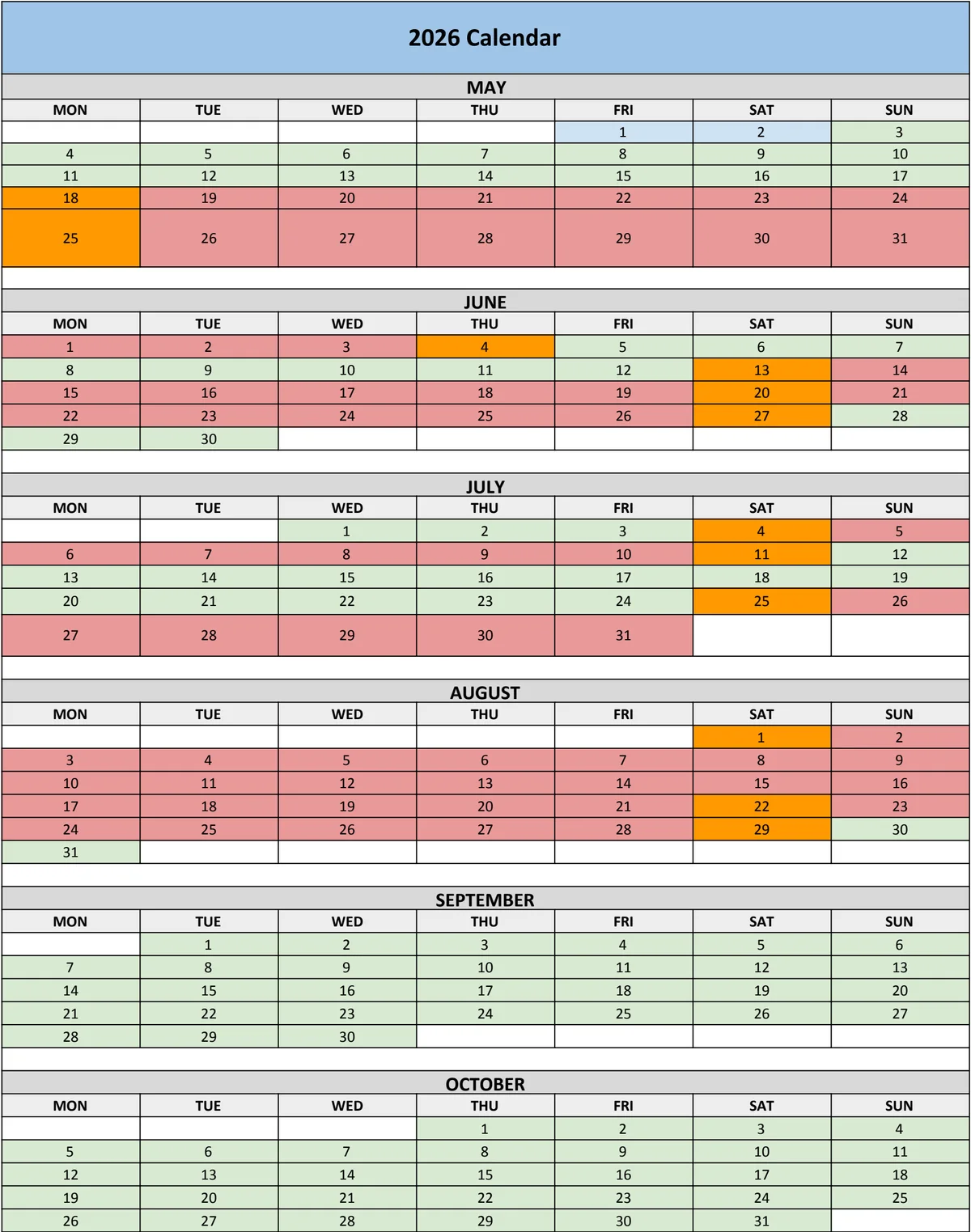
Printed calendars with stays highlighted by hand
With Recal

Each home’s months, the same for everyone who opens them. Point at a stay to see who it is. On every plan.
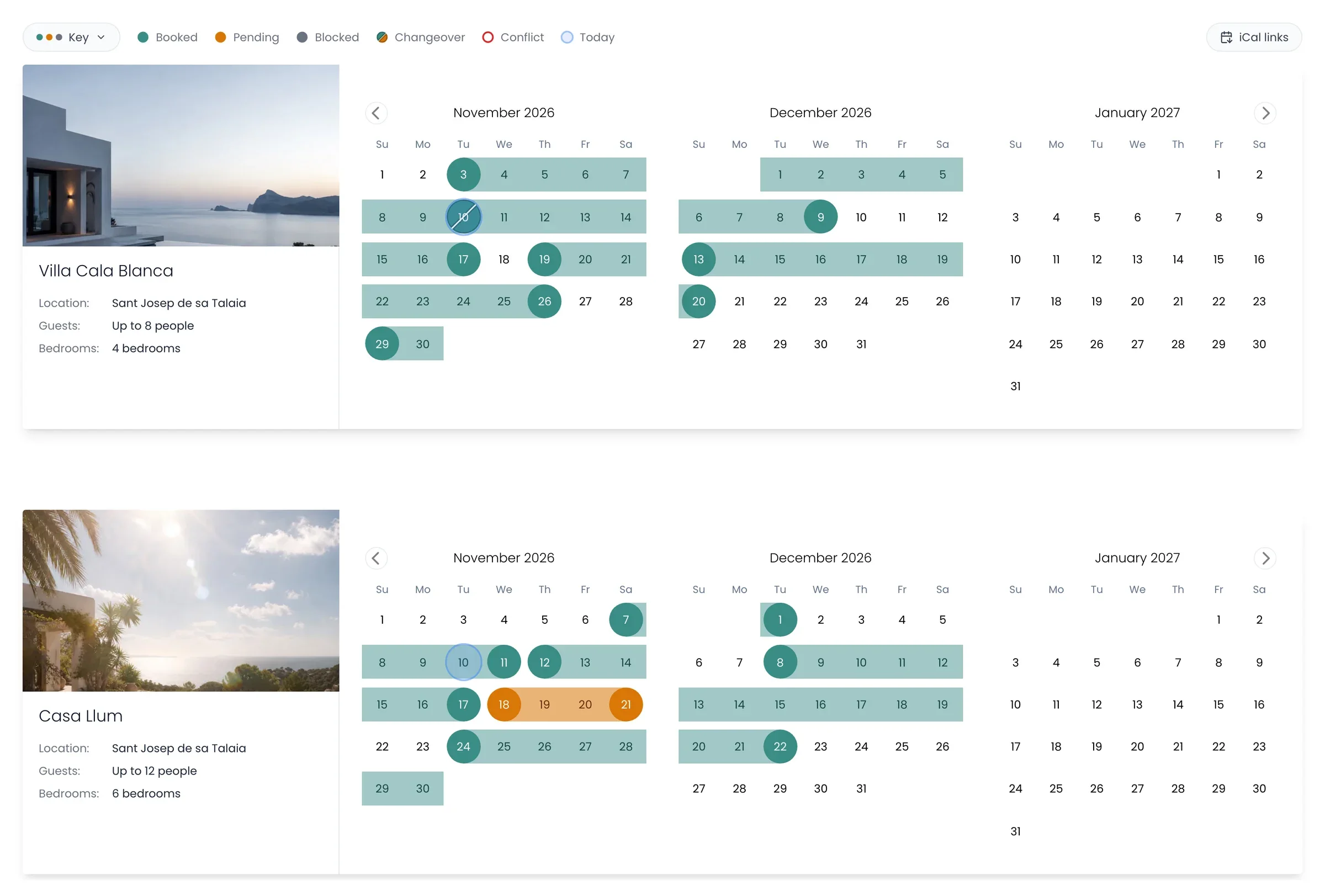
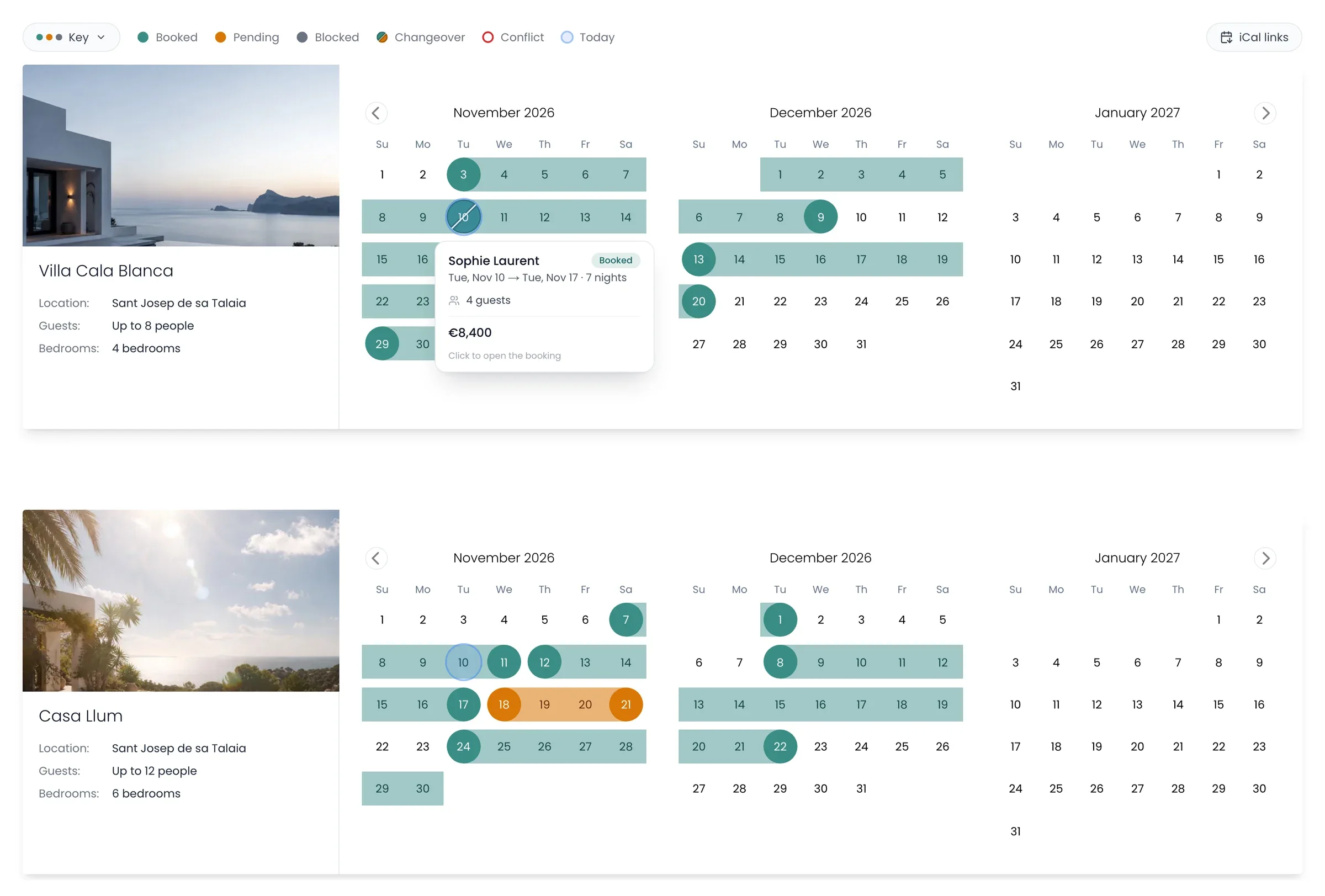
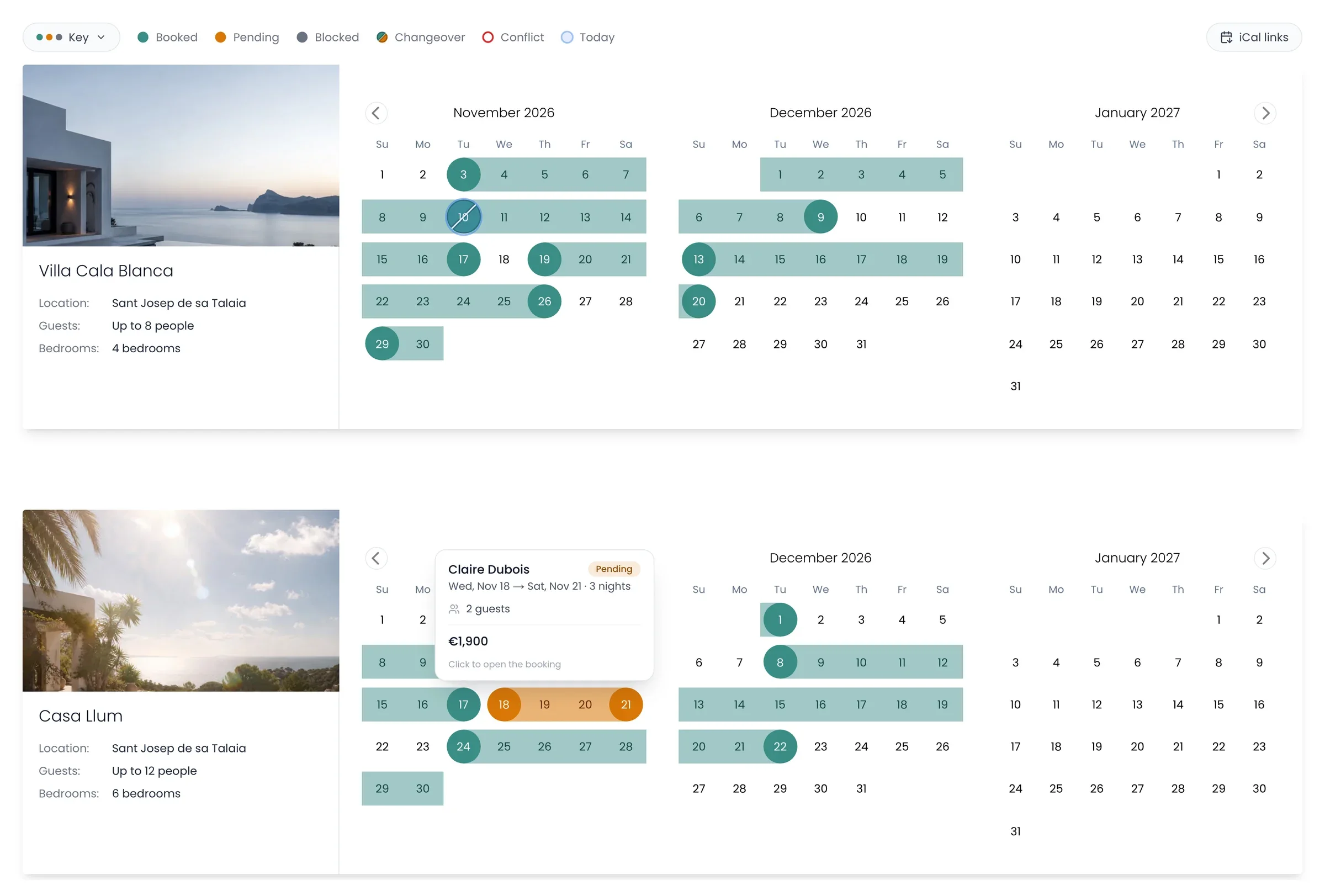
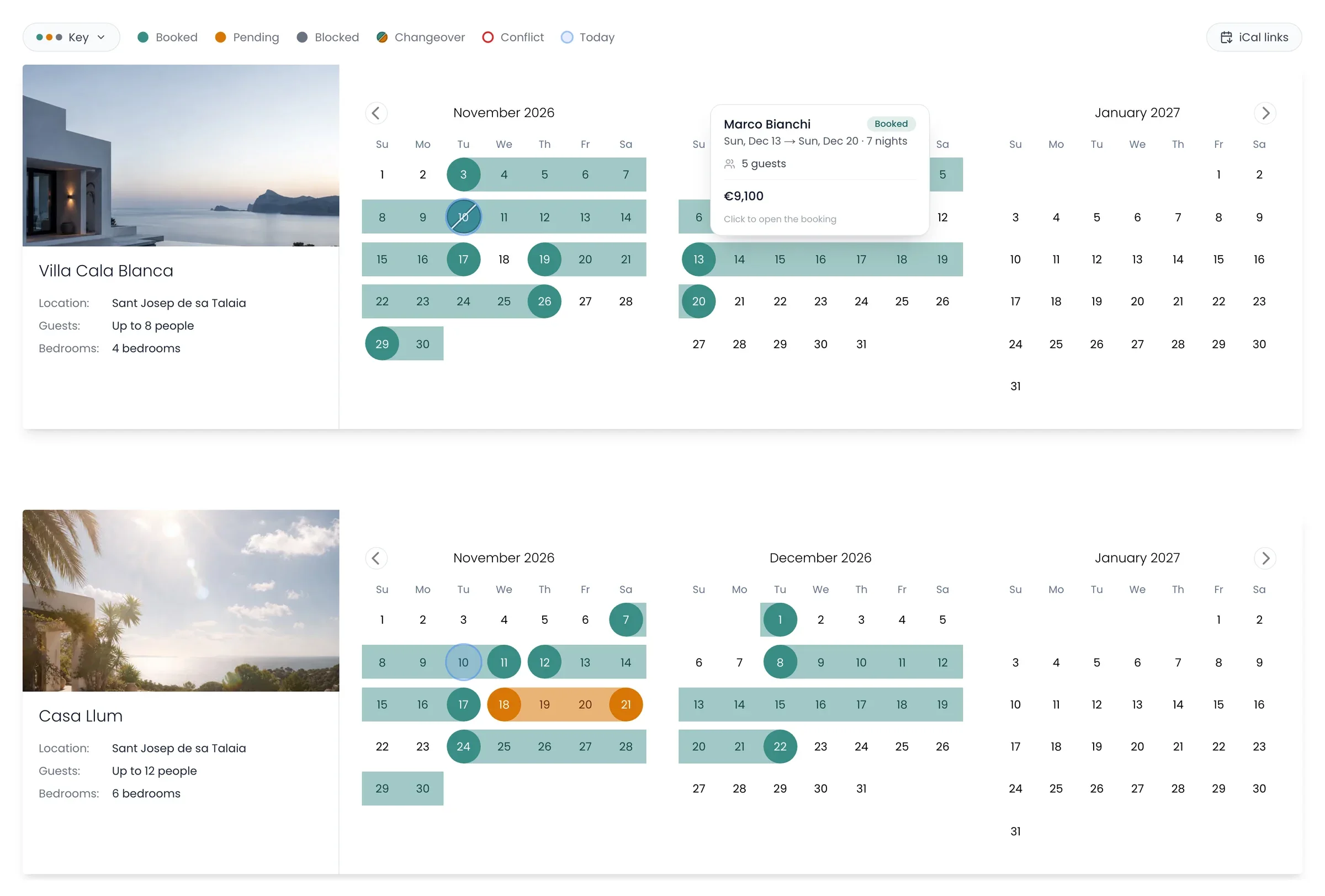
Villa Cala Blanca and Casa Llum, each with November, December and January, with a stay’s card showing as the pointer moves over it
Read it at a glanceTeal is booked, amber is pending, grey is blocked, and red is a clash from another calendar.
Point at a stayWho it is, the dates, the guests and the price. Click it to open the booking.
Two clicks to addClick a free day, then a later one, to add a booking or block the dates.

Multi-property calendar

Every home on one grid.

One row for each home, a week or a month at a time. Stays start and end at their real check-in and check-out times, so you can see the gap for the clean. Pick two free nights on a row to add a stay. On Manager, on a computer.
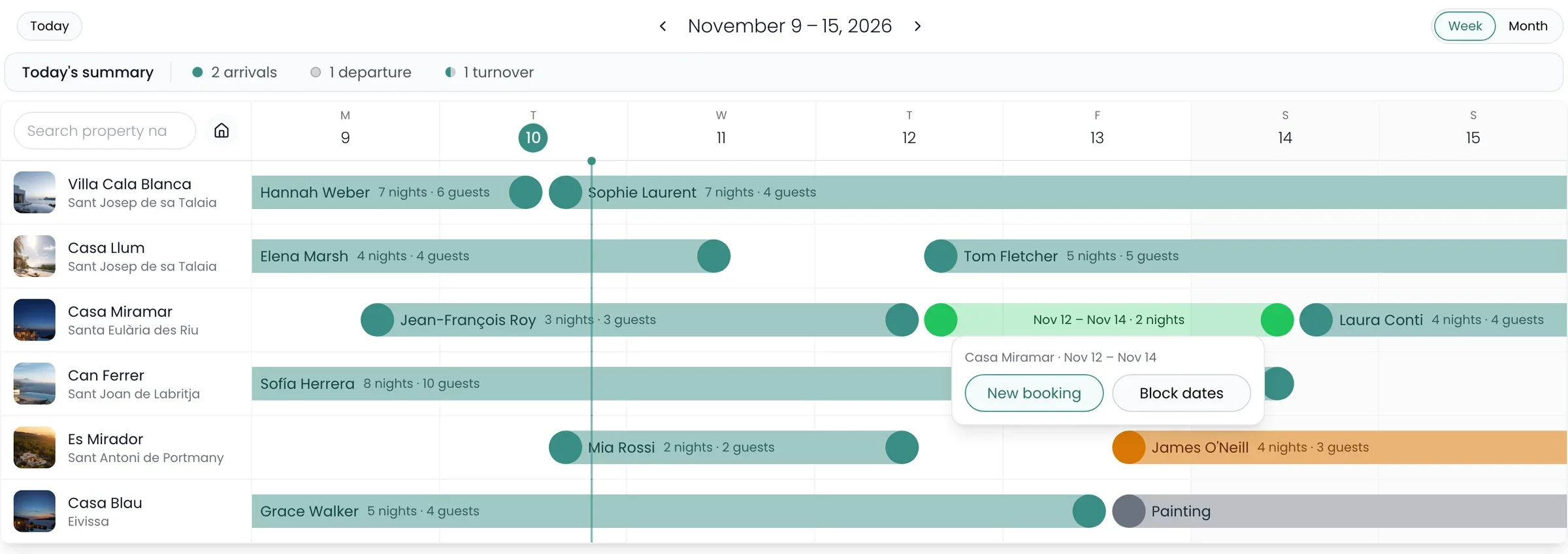
Two nights picked at Casa Miramar, 12 to 14 November, with New booking and Block dates
Pick two nightsClick the first free night on a row, then the last, and choose a booking or blocked dates. The form opens filled in.
Today’s summaryArrivals, departures and turnovers for today, above the grid.
How full each home isSwitch to month to see the share of each home’s month that’s booked.

Conflicts

Double bookings, caught before they land.

When a calendar link brings in a stay that overlaps one you already have, Recal doesn’t add it. It’s held back, outlined in red on the calendar, and listed for you to sort out.
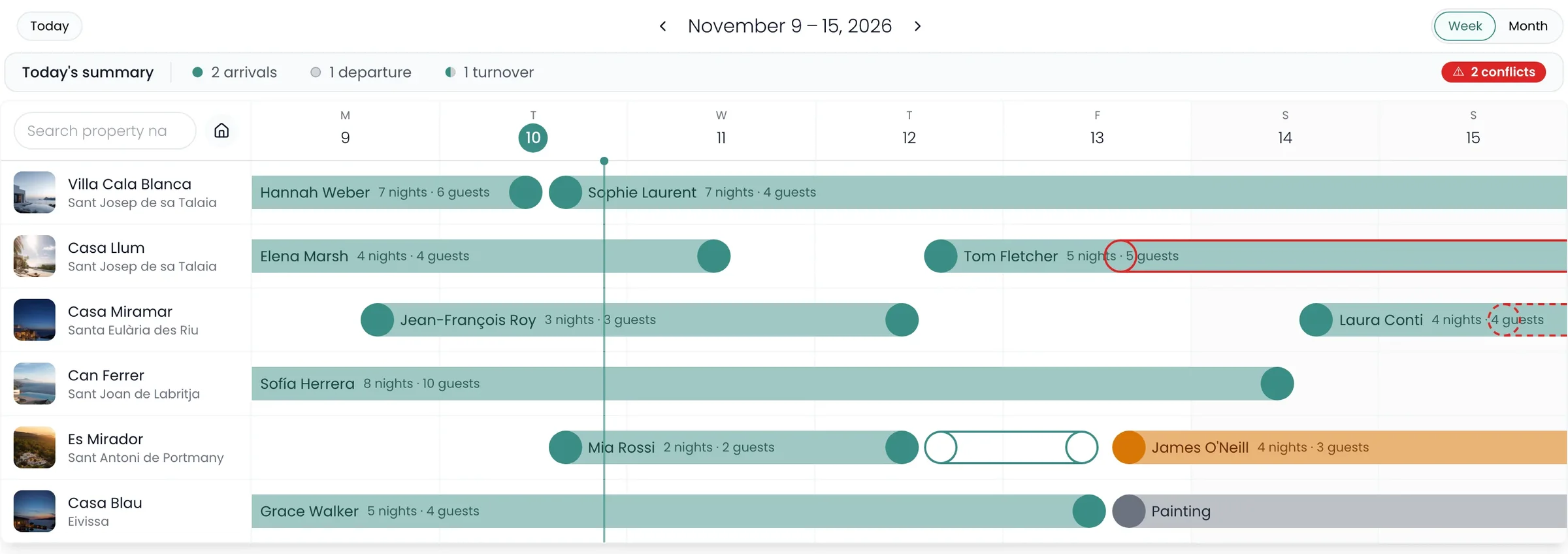
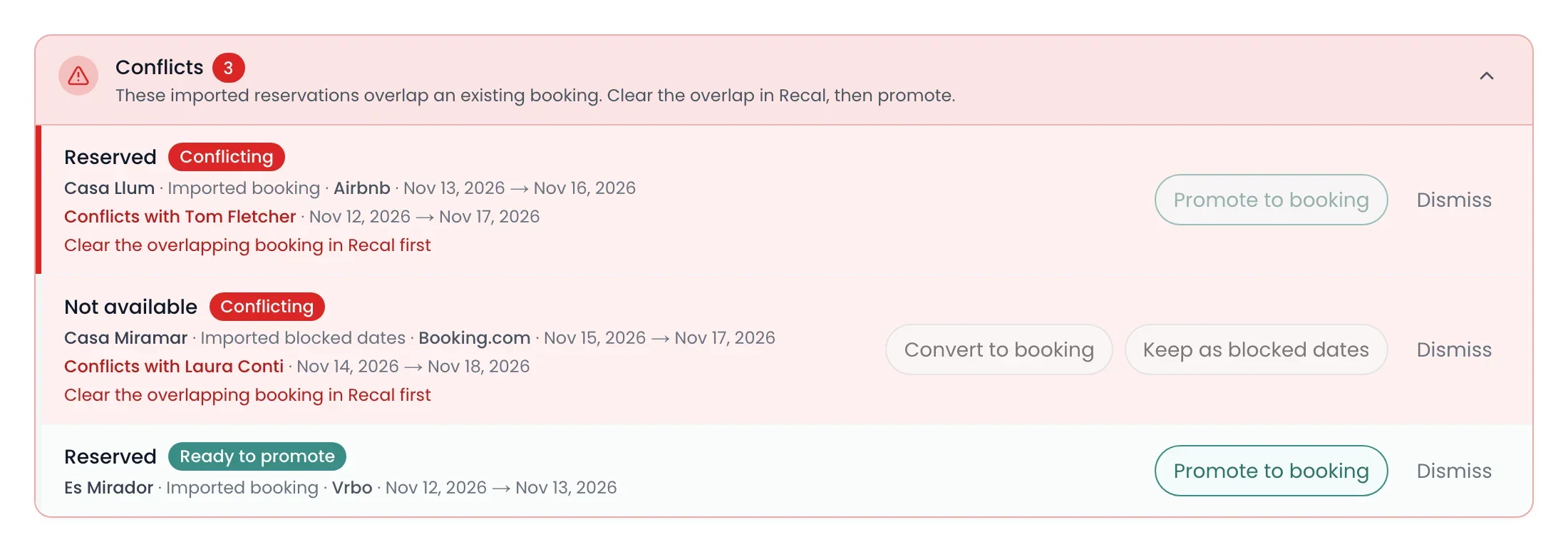
The week with 2 conflicts flagged above the grid: an Airbnb stay outlined in red over Tom Fletcher’s stay at Casa Llum, blocked dates from Booking.com dashed over Laura Conti’s at Casa Miramar, and a Vrbo stay ready to add at Es MiradorThe conflicts list: each held stay with its home, where it came from, its dates and what it overlaps, with Promote to booking, Convert to booking, Keep as blocked dates and Dismiss
Never doubledThe overlapping stay is held back, so a home is never booked twice.
Clear it, then add itMove or cancel the stay in Recal, and the held one turns green, ready to add.
Or let it goDismiss one that doesn’t matter, and it stays dismissed unless the stay later takes new dates.

Calendar links

Connect any calendar by its link.

Bring in Airbnb, Vrbo, Booking.com or any calendar link, and share your dates with anyone who needs them, by a link you can switch off.
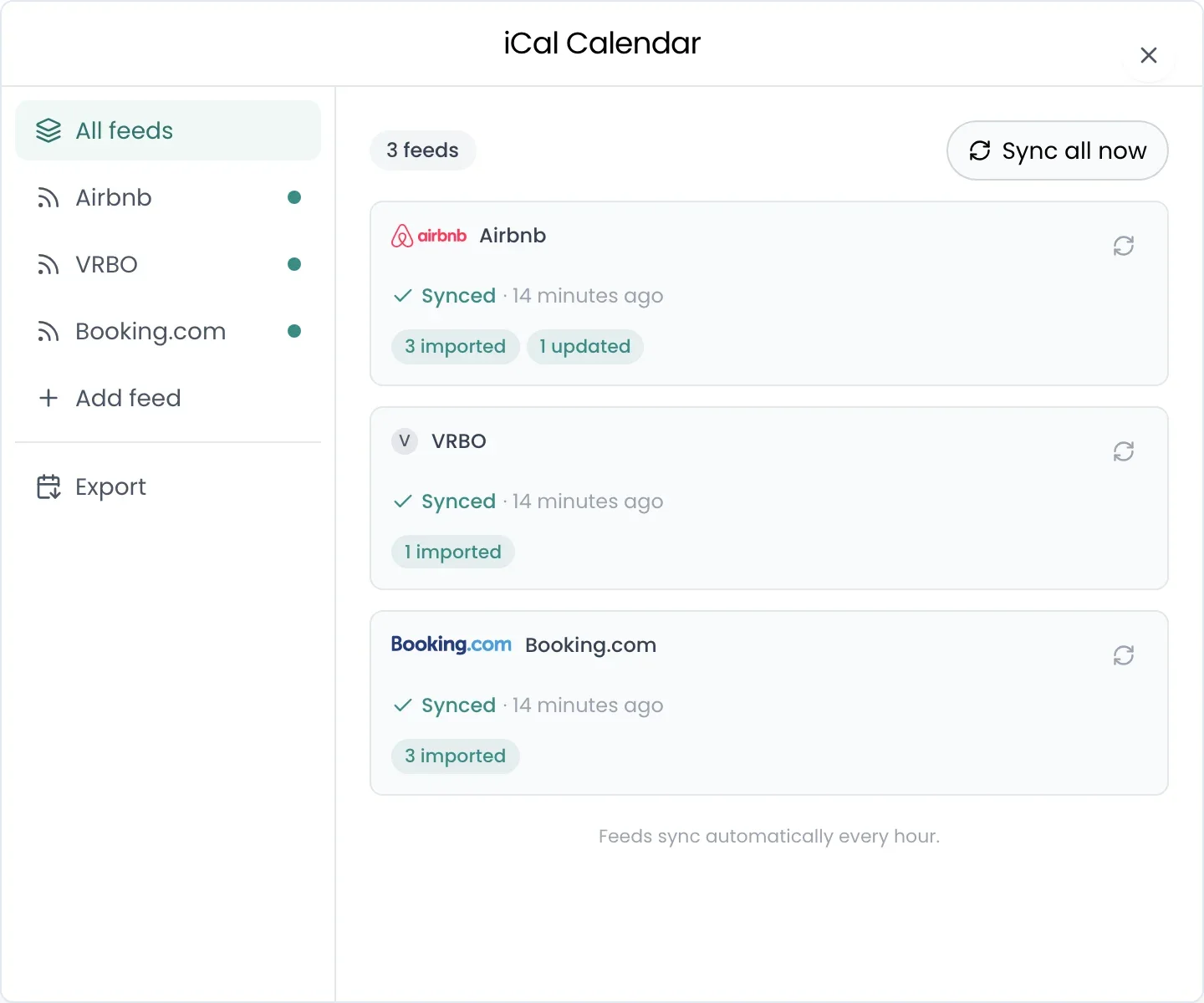
The calendar links for Villa Cala Blanca: Airbnb, Vrbo and Booking.com, each synced 14 minutes ago with what it brought in, and Sync all now
In every hourNew stays and blocked dates arrive every hour, and when you open a home.
Your edits stayAdd a guest’s name or a price to an imported stay, and the next sync leaves it alone.
Out to any calendarCopy a home’s link into Google, Apple or Outlook. It shows Booked and Blocked, not guest names, unless you turn them on.

Recal’s AI agent

Or just ask.

Nothing changes until you say yes.

Move a check-in to Sunday
Move Tom Fletcher’s check-in to Sunday and add a cleaning on the Saturday at Villa Cala Blanca.
The property is free on the Sunday, so the stay can start a day later and still end on the same day. Two changes for you to confirm.
2 changes to confirmConfirm all (2)

Questions

What people ask about calendars.

Does it work with Airbnb and Vrbo?

Yes. Your listings stay where they are, and their calendars sync with Recal every hour by calendar link.

Does Recal change my prices on those platforms?

Not yet. Recal doesn’t send prices or availability out as a channel manager does. A built-in channel manager is on the way.

What happens if two stays overlap?

Anything that overlaps is held for you to sort out, so it’s never dropped or doubled.

What if a calendar link removes a past booking?

It stays in Recal. Past bookings are never deleted when a calendar link drops them. A future one it drops is removed, unless it has documents or a damage report attached.

Which plan includes it?

Calendars are on every plan. The weekly agenda starts on Host, and the multi-property calendar starts on Manager.

Keep looking
Stop sending calendars around.

Save more time. Make more money.