Owner portal for holiday homes
See your home, without having to ask.
An owner portal for your holiday home. If someone manages it with Recal, you see its bookings, money and upkeep as they happen, and ask for your own dates.

Know what's happening
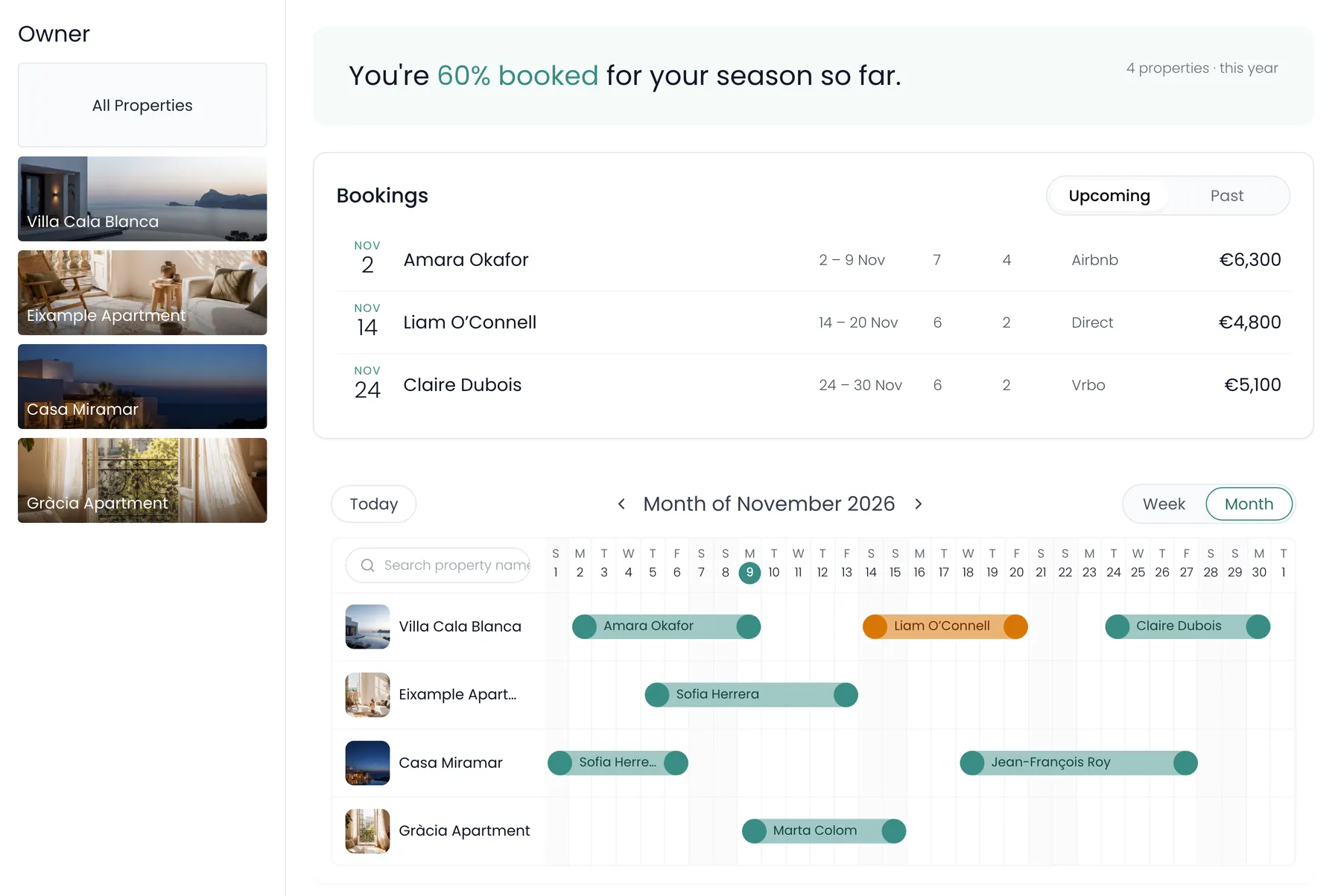
Who's in your home, and who's next
The top of your page says who's checked in, who arrives next and how booked the coming weeks are.
Follow the money
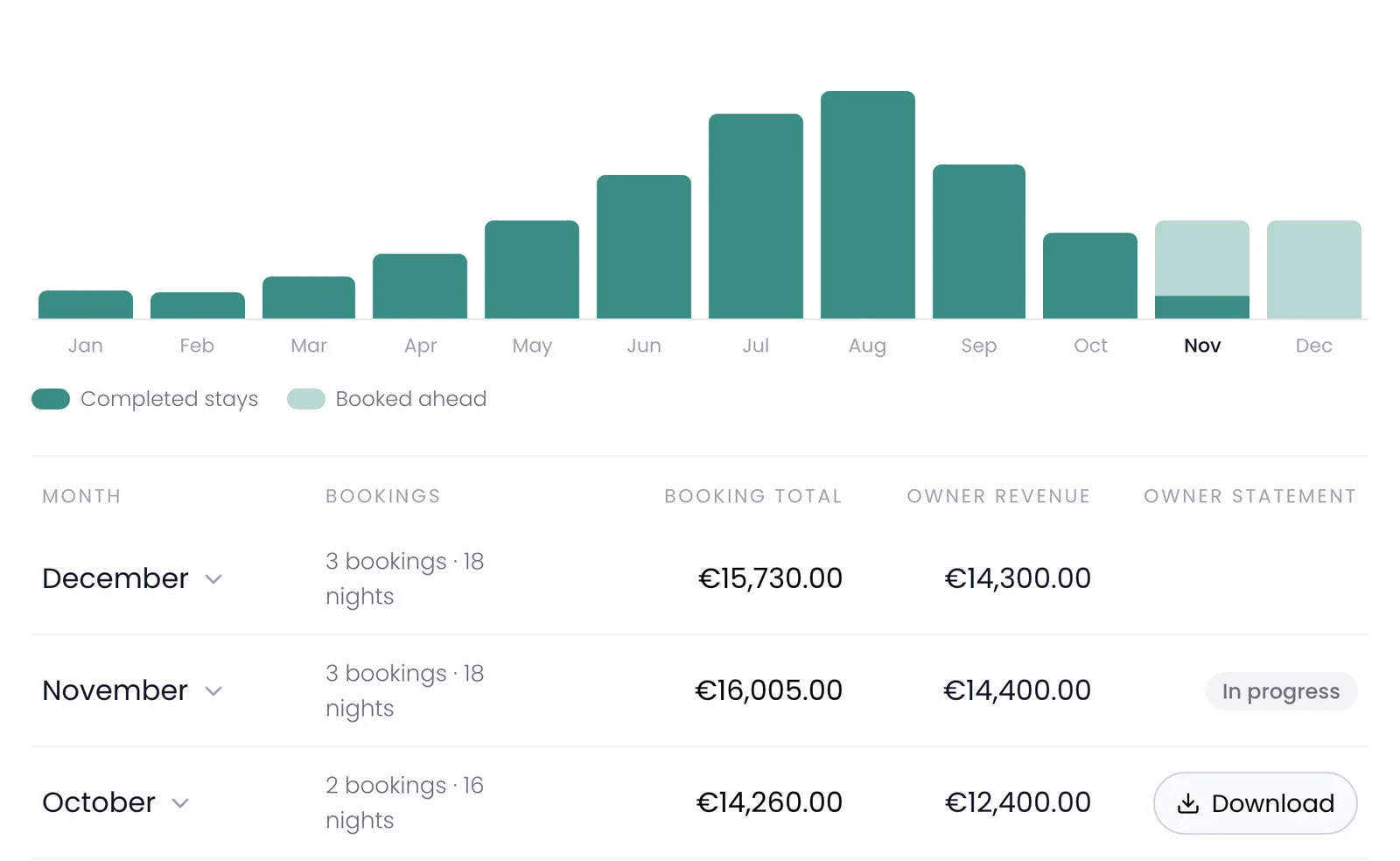
What each stay earns you
Revenue this year, booked ahead and month by month, each opening to the bookings behind it.
Use your home
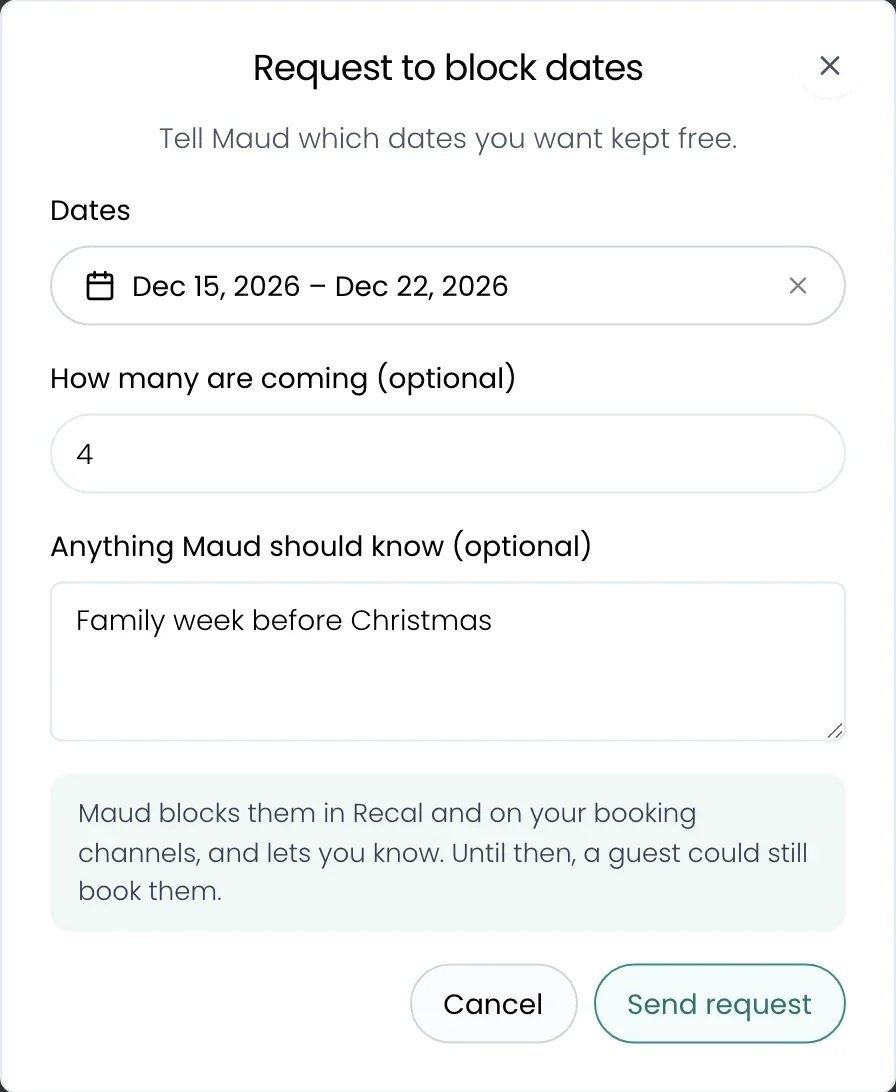
Ask for your own dates
Pick the dates, say who's coming, add a note. Your manager blocks them or tells you why not.
Keep it looked after
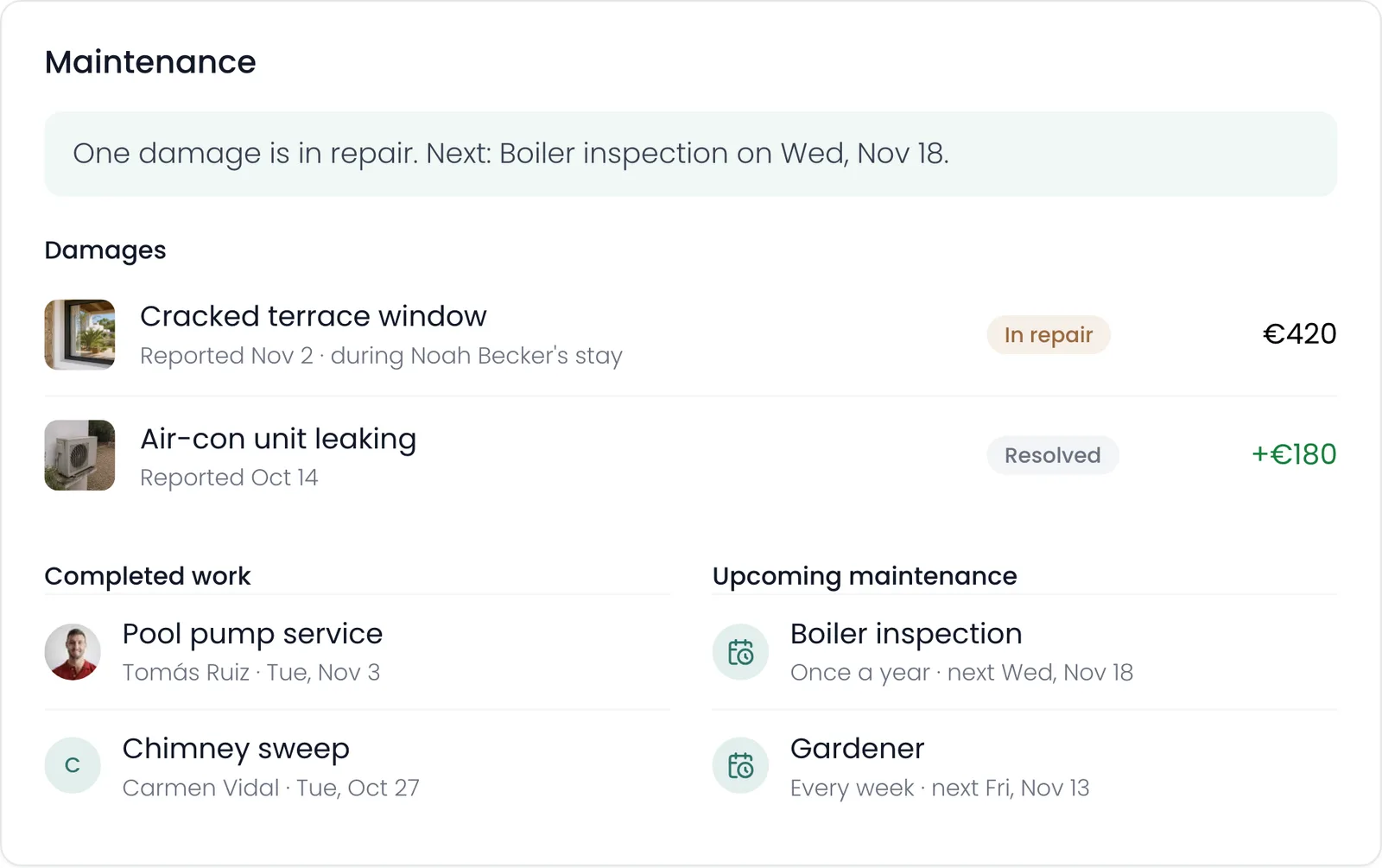
See the upkeep, and what it cost
Damages with photos, status and cost, the work that's been done and the next visit.
Your first week
Your first week, and every month after
You don't install anything to use the private link.
Open your page
- Open the link and password from your manager, or find Owner in your Recal menu
- Save it to your phone
Ask for your dates
- Send a request with a note
- Get the answer by email
Your statement
- Download the finished month as a PDF
- See what was spent on upkeep
What's on your page
Everything about your home, in one place
All of it is on from the day your manager adds you. Nothing to set up and nothing to ask for.
Your manager can choose to hide a figure. If they do, it simply isn't there: never a zero that looks like lost money.
Working with the others
Who's behind your page



Questions
What owners ask
Do I need a Recal account?
No. Your manager can send a private link with a password. With your own account on the Host plan or above, the same page lives inside it.
Why can't I see some figures?
Your manager chooses what shows. A hidden figure is removed, never shown as zero.
Does asking for dates block them?
Not yet. Your manager blocks them and you see the answer. Until then a guest could still book those dates.
Is the page an accounting statement?
No. It's a clear view of your home, in your manager's currency.

Your home, always in view.
Ask your manager, or run your own home free.