Company page

Your company, on one page you can share.

A profile with your homes and your team that anyone can open from a link. Every enquiry it brings in lands in one inbox your team shares.
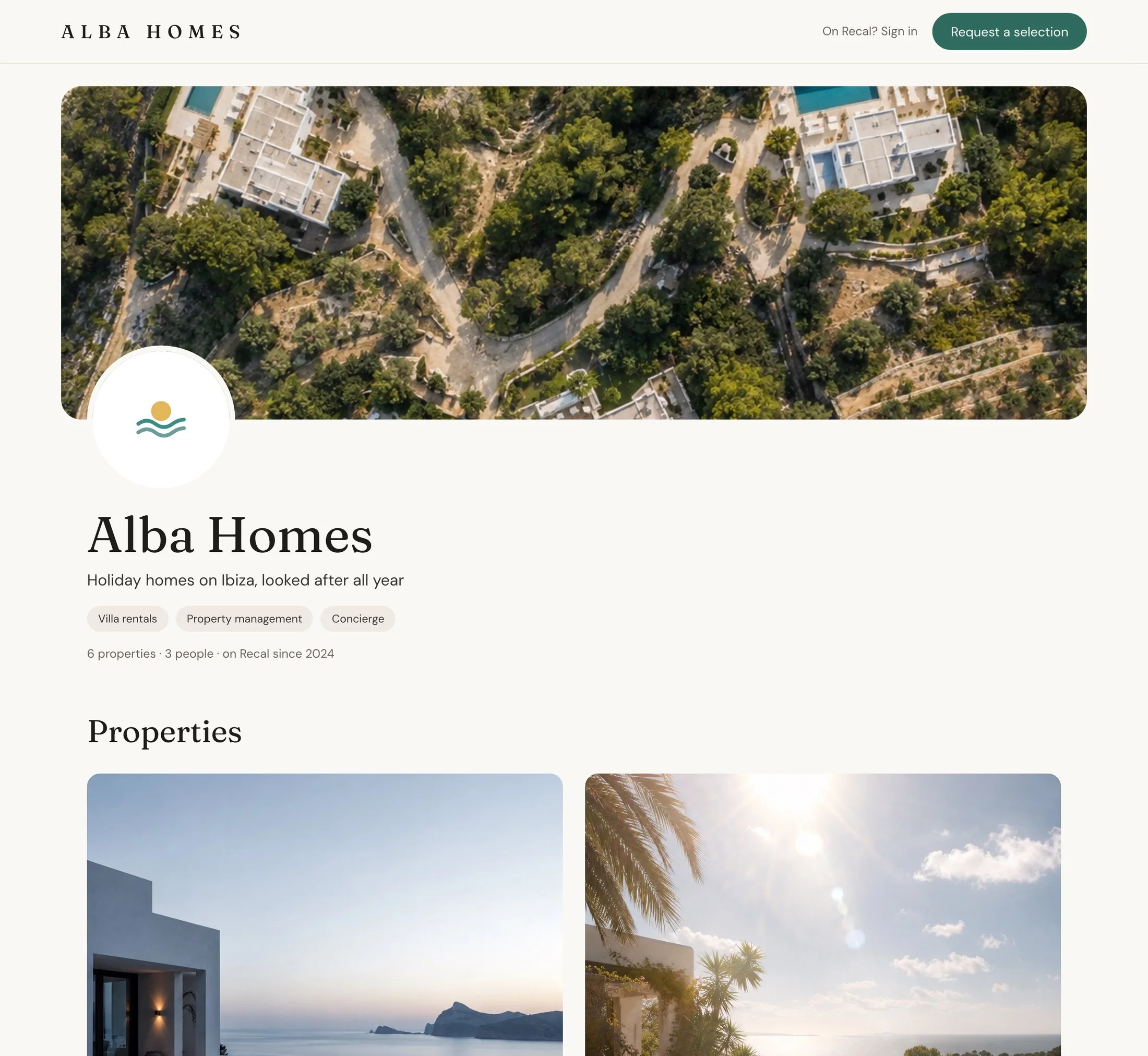
Alba Homes’ profile: a cover of villas in the pines, the round logo, the name and line, three services, and Request a selection at the top

The page they open

Homes first, then the people.

Send the link to an owner, a guest or another agent. They need no account, and the page is never listed on Google.

  1. 1
    Your cover, logo and lineWith the services you offer and how long you’ve been on Recal.
  2. 2
    Featured homes firstUp to three, in your order, then the rest.
  3. 3
    Your teamOnly the people who chose to be shown.
  4. 4
    Request a selectionTheir dates, their party and a note, straight to your inbox.
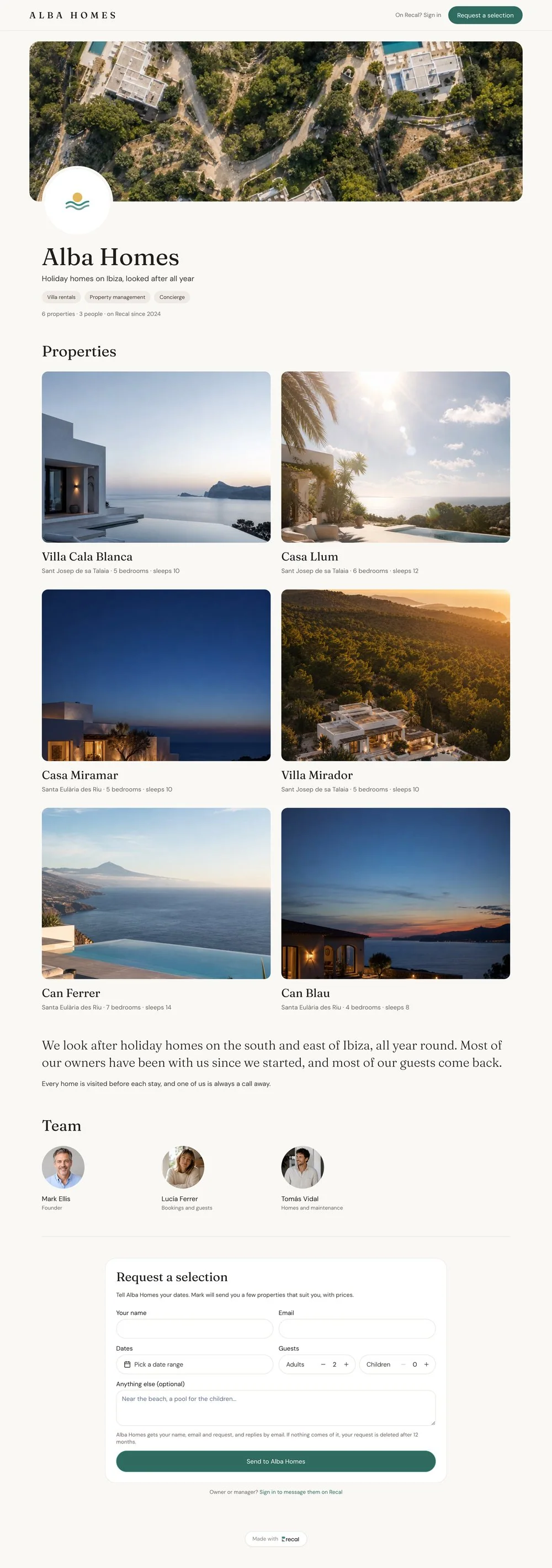
The whole Alba Homes profile: cover and name, six homes two across, about, the team of three and the request form

Edit it where it lives

Change it on the page itself.

Open your profile, click the pencil on the part you want, and set the rest in the panel beside it. Then see it as a visitor would.
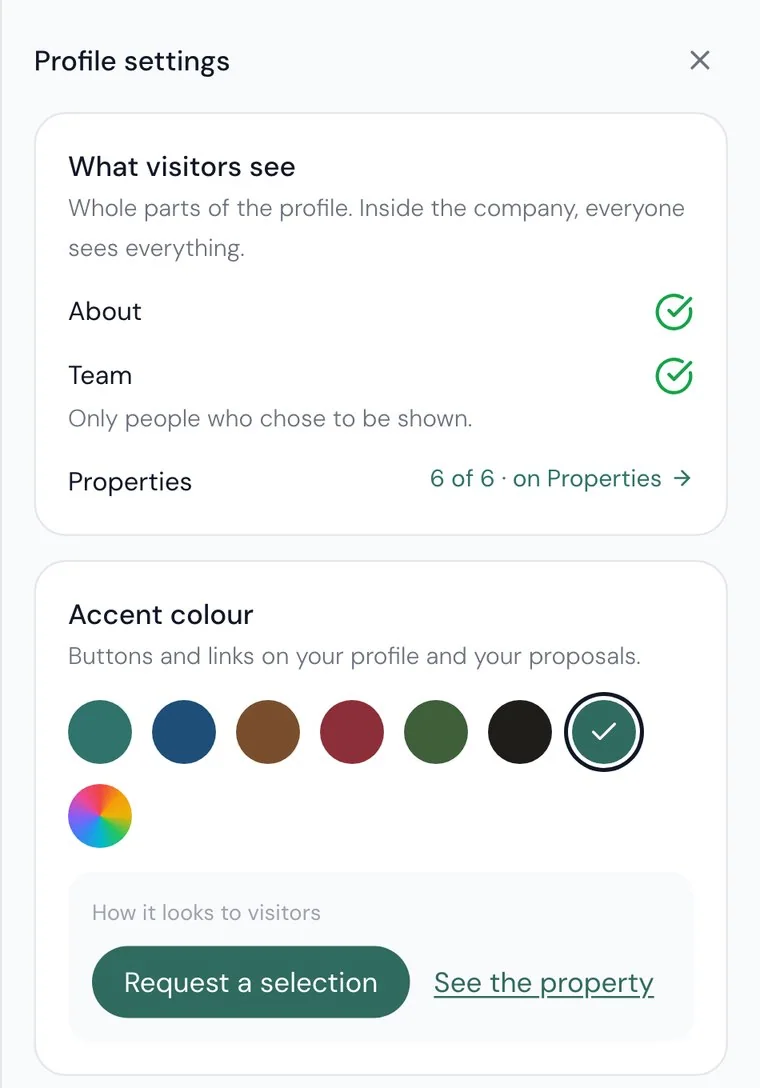
Your colour and typeClassic, Editorial, Luxury or Modern, on the profile, your proposals and their emails.
Your logo in the appA wide logo can replace Recal’s in your team’s header, with a dark version made for you.
On the links you sendYour homes’ public pages carry your logo, with a small Powered by Recal.
Profile settings: what visitors see, About and Team on, six of six properties, and the accent colour with how it looks to visitors

What it brings in

Every enquiry, in one inbox.

Requests from the profile, shortlists coming back from proposals and people asking to join, each with the one thing that answers it.
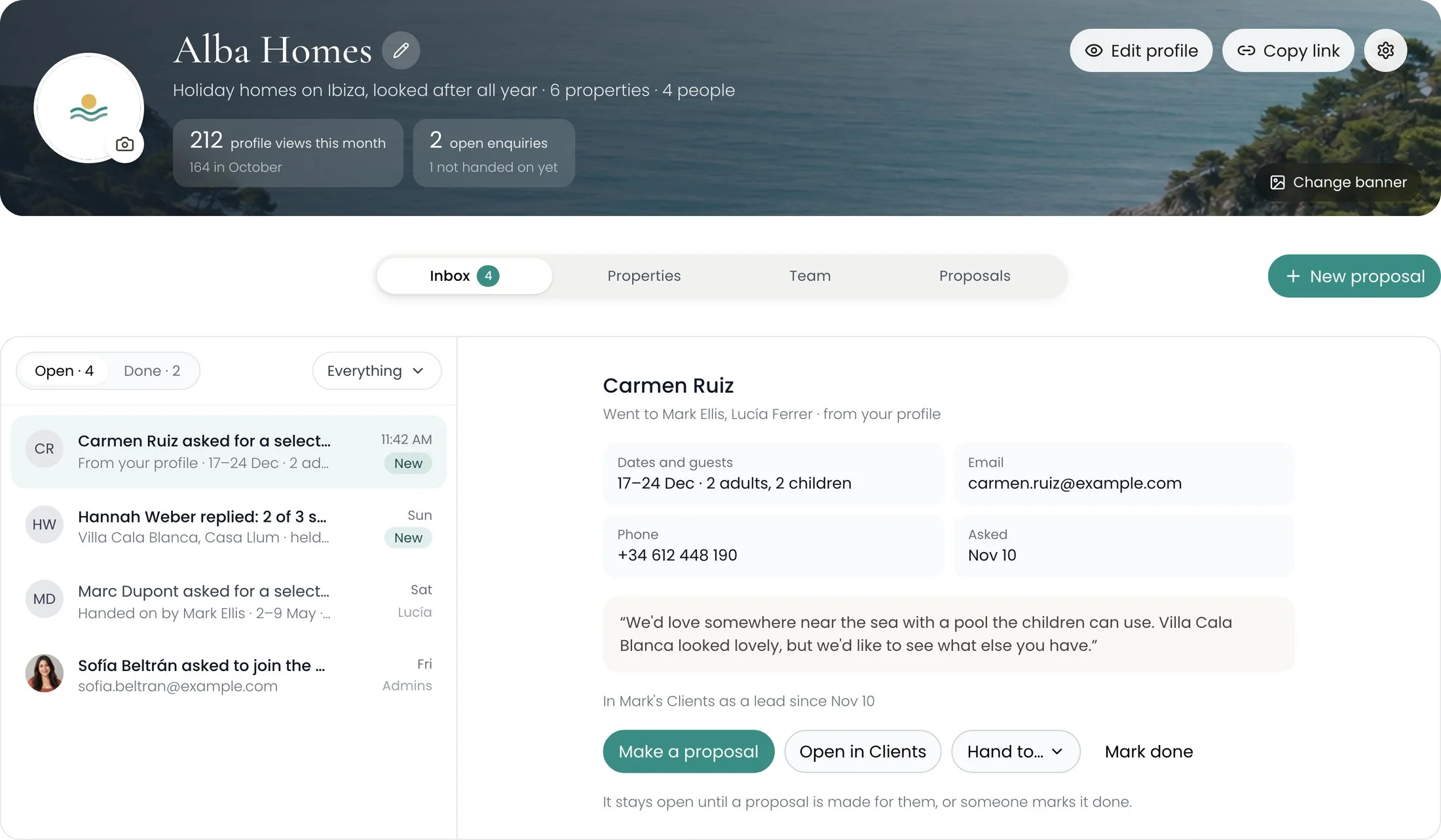
The Alba Homes company page: 212 profile views this month, two open enquiries, and Carmen Ruiz’s request for 17 to 24 December open with Make a proposal, Open in Clients, Hand to and Mark done
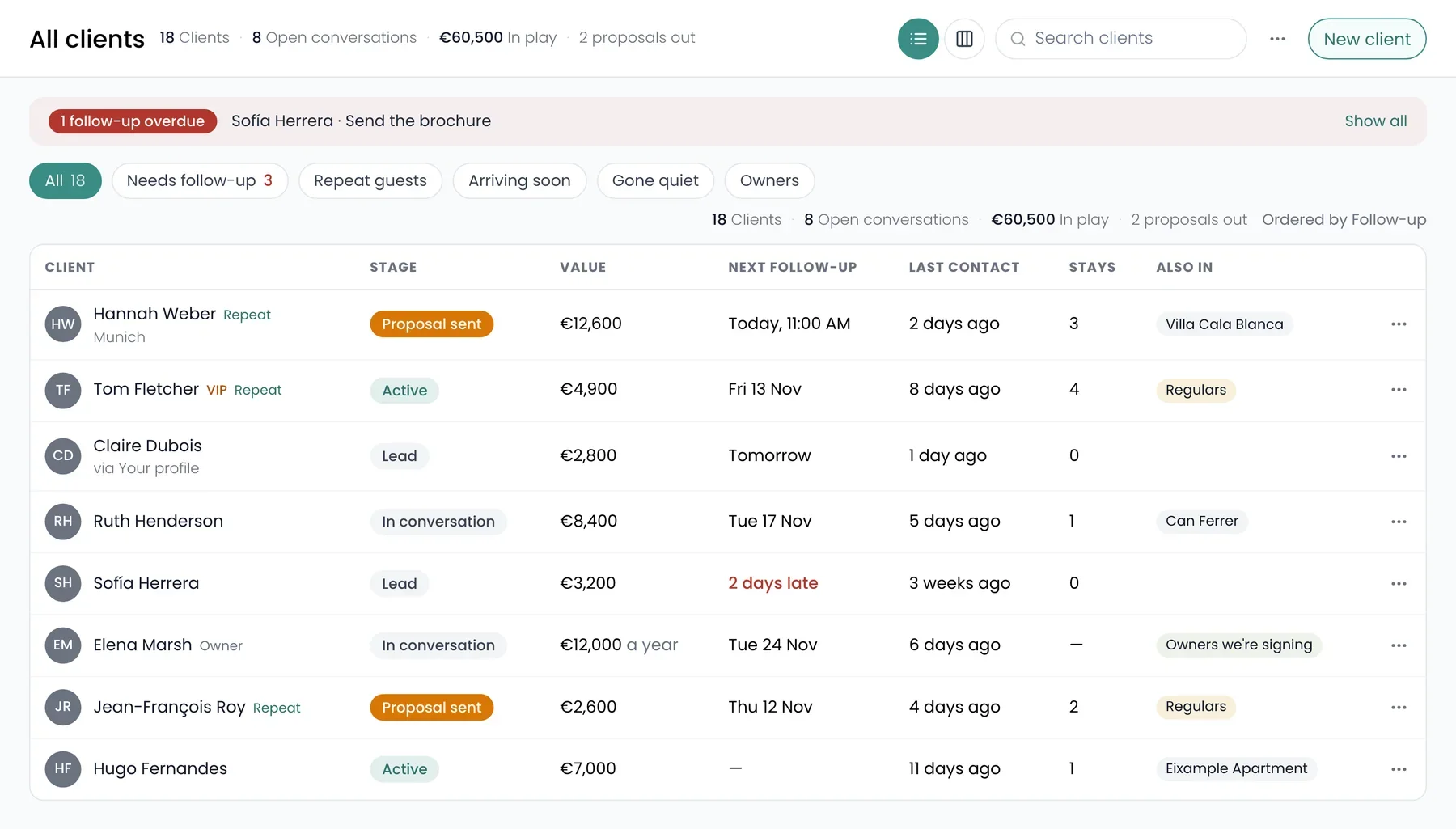
Already a leadEach enquiry is a lead in your Clients, with their request as the first note.
Hand it onTo one person. It stays open until a proposal is made or someone marks it done.
Who’s lookingProfile views this month against last, at the top of the page.

Your team

Who does what.

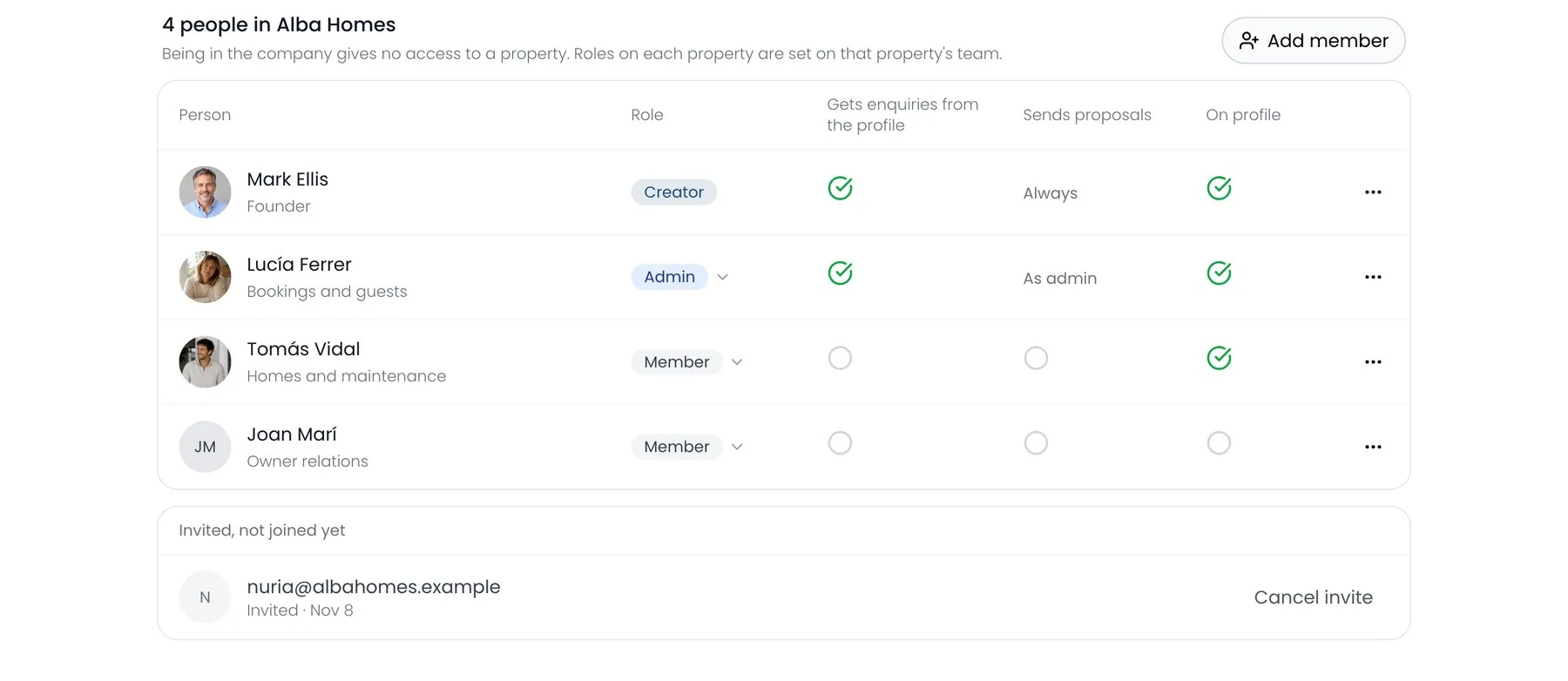
Creator, admin or memberAdmins run the company with you. Only you can delete it or change the plan.
Who gets enquiriesAnd who sends proposals, person by person.
Joining shares no homesBeing in the company gives no access to any property.
Four people in Alba Homes: Mark Ellis, creator; Lucía Ferrer, admin; Tomás Vidal and Joan Marí, members; with who gets enquiries, sends proposals and is on the profile, and one invite waiting

Recal’s AI agent

Or just ask.

Nothing changes until you say yes.

The company page
How’s the company page doing?
More views this month than last. Two requests are open, and one shortlist has come back.

Questions

What people ask about the company page.

Which plan includes it?

The company page is on Business.

Does it show up on Google?

No. It’s never listed by search engines. You share the link.

Can anyone see my prices?

Only people signed in to Recal, on homes whose listing shows prices. Everyone else sees the homes, your team and a way to ask.

Does joining the company give someone my homes?

No. Being a member gives no access to any home.

Can I use it on my phone?

You can see it on your phone. Editing the page and the team is on a computer.

What if I move off Business?

The page is hidden and members are paused. Nothing is deleted.

Keep looking
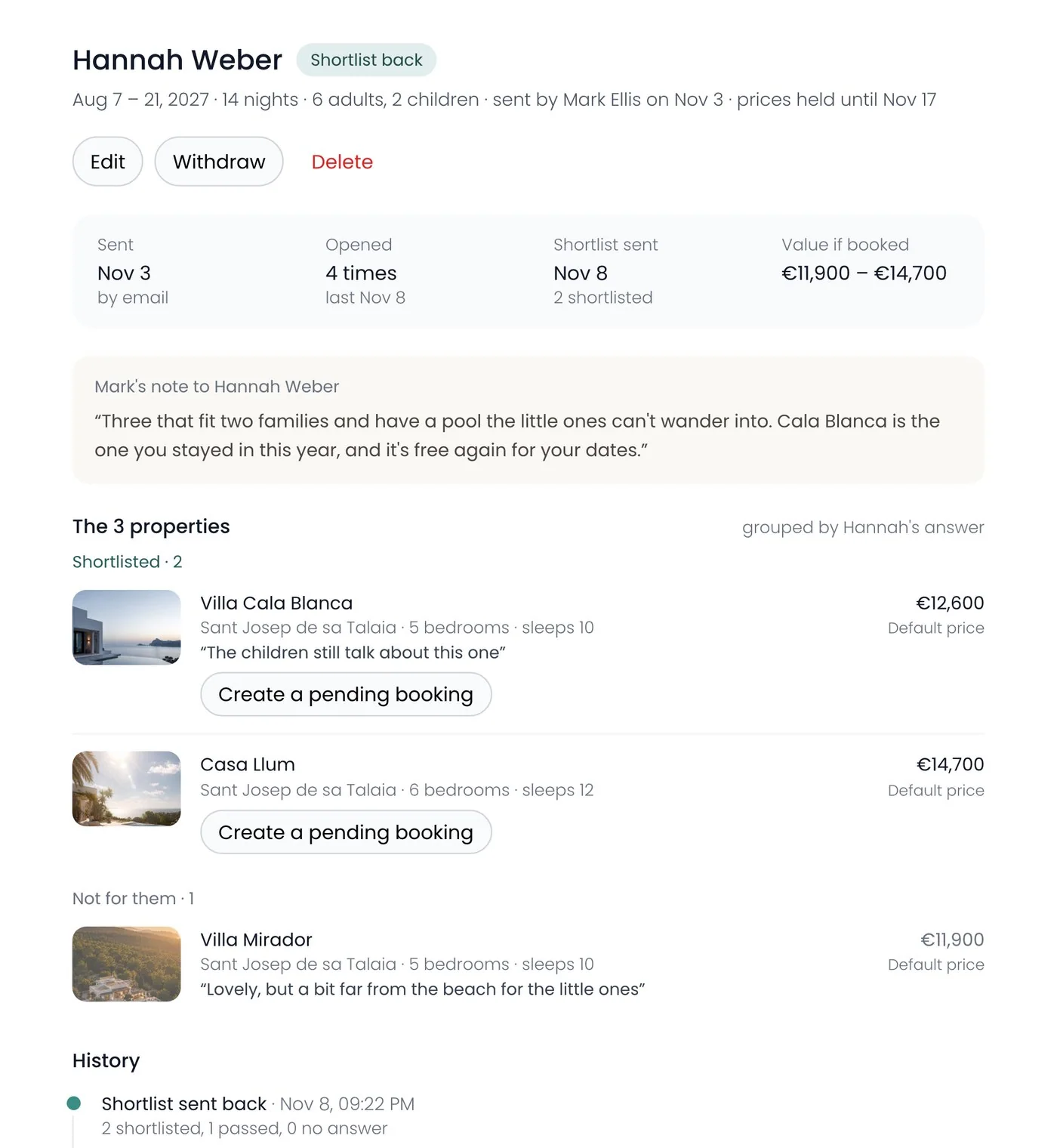
Stop sending last year’s portfolio.

Save more time. Make more money.