Notifications

Never miss what needs you.

The bell keeps two lists. Needs you holds what’s asked of you, what’s due and work given to you. Updates is everything else, so nothing important drowns.
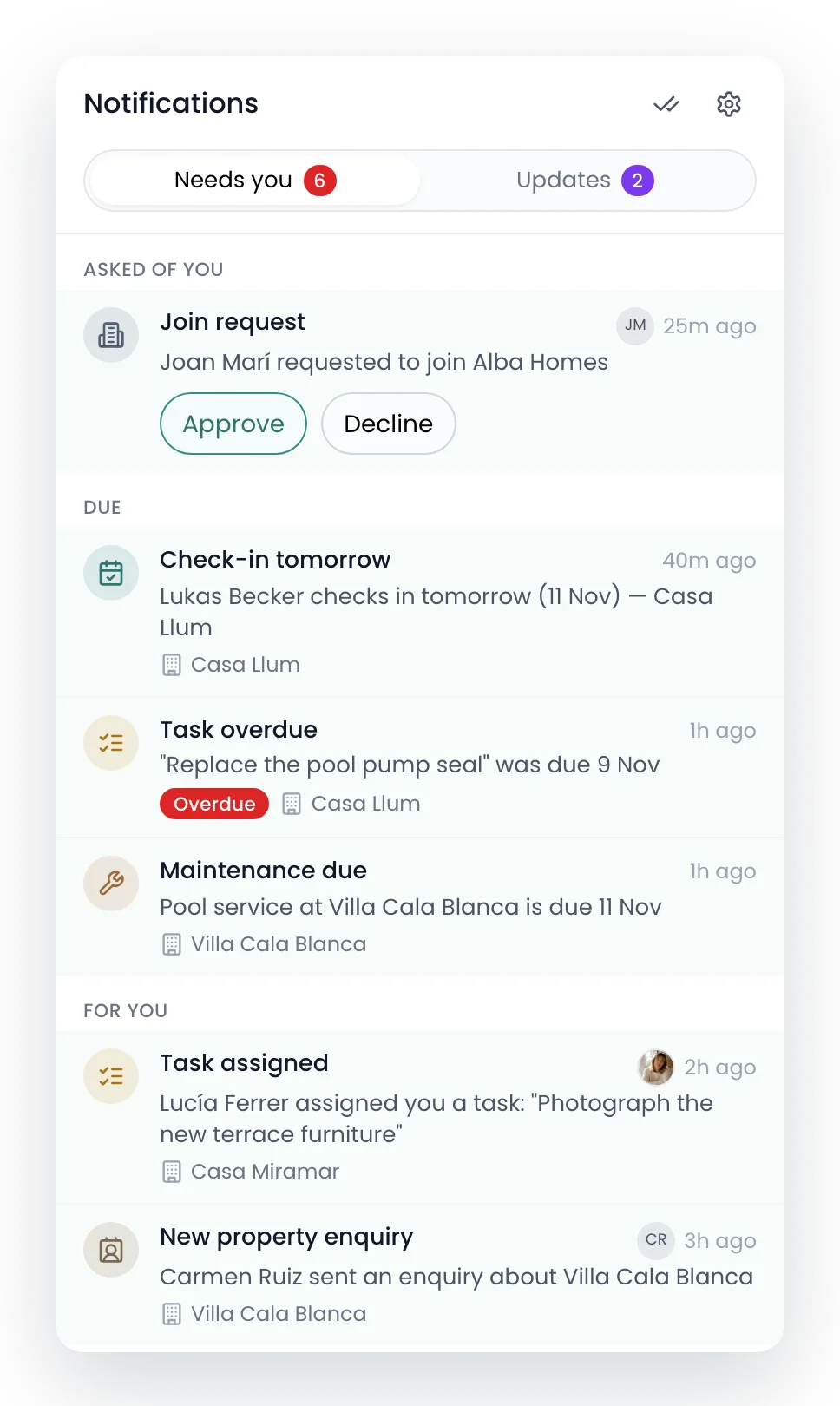
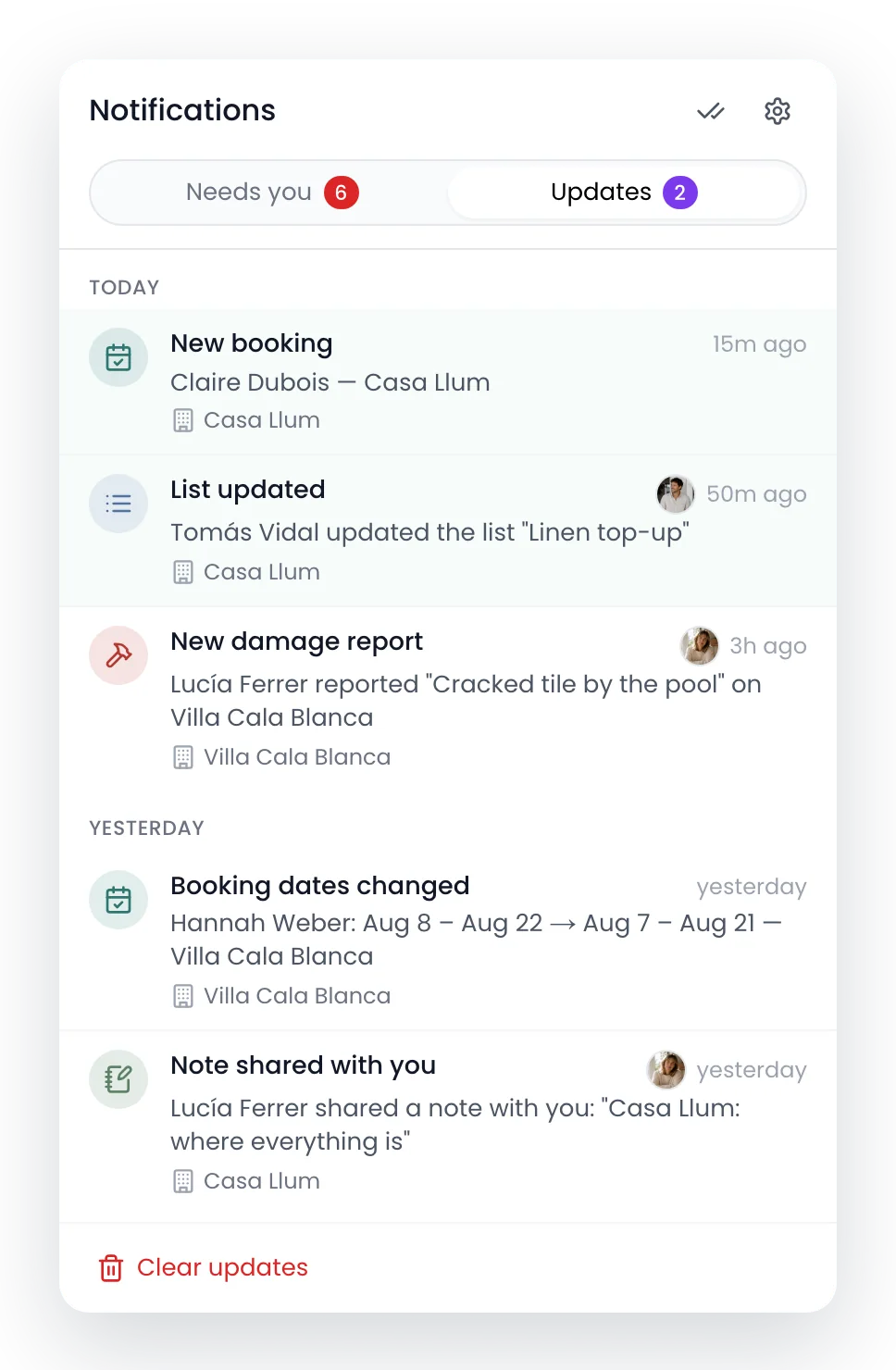
The bell’s Needs you tab: a join request with Approve and Decline, a check-in tomorrow, an overdue task, a maintenance reminder, a task given to you and an enquiryThe Updates tab: a new booking, a list Tomás updated, a damage Lucía reported, changed booking dates and a note shared with you

Needs you

Work leaves when it’s done.

Reading a row doesn’t clear it. It goes when you answer it, finish it or mark it done, and Recal clears it for you when the thing itself is sorted.
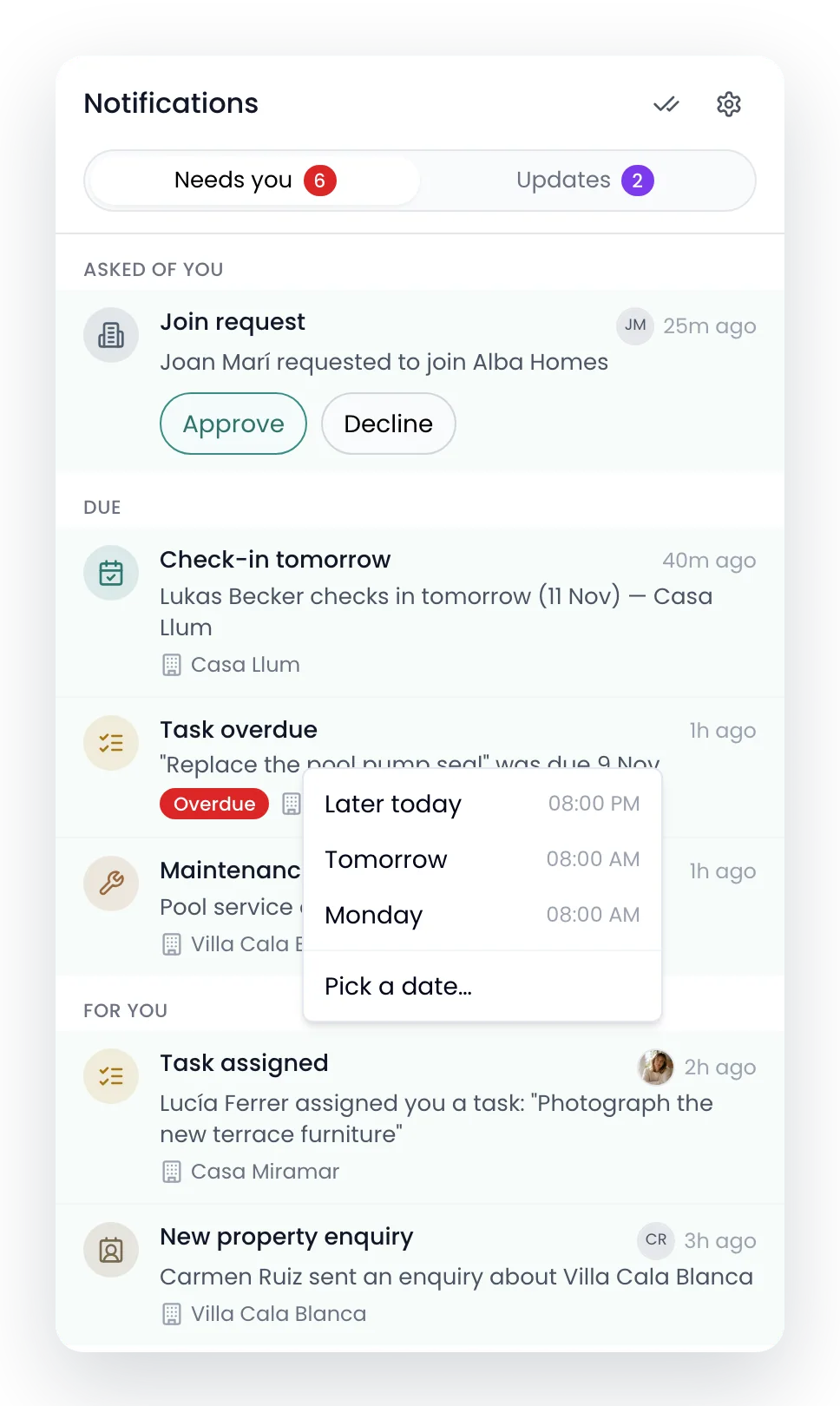
Snooze itLater today, tomorrow at 8, Monday, or a day you pick. It comes back to the top.
Clears itselfTick the task or publish the statement and the row goes on its own.
Mark all read hides nothingNews gets read. Work stays until it’s done.
Snoozing the overdue pool pump task: Later today, Tomorrow and Monday, each with its time, or Pick a date

Your phone

Choose what reaches your phone.

One question covers most people: everything, or only what needs you. Or set each type yourself, for the bell and the phone.
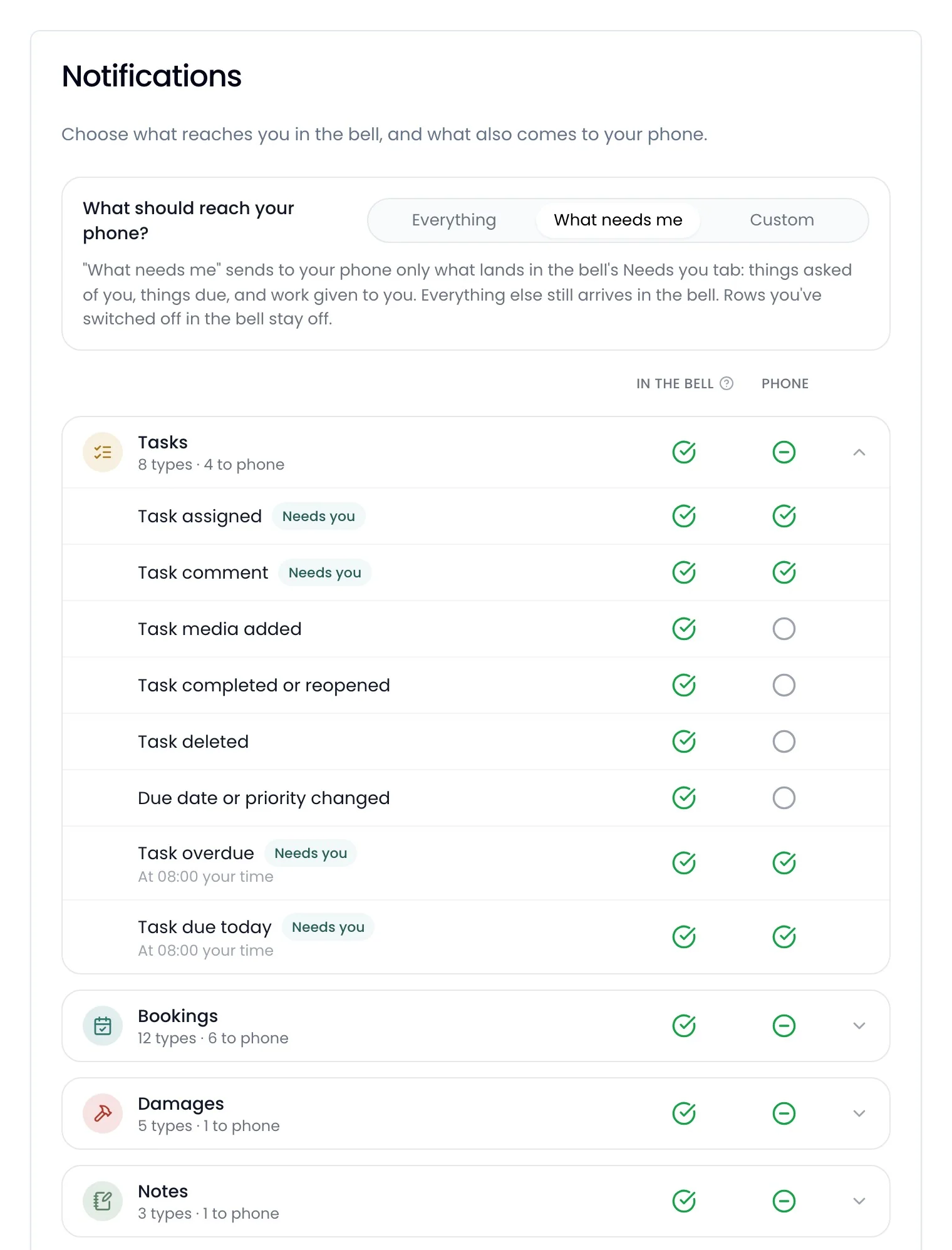
Notification settings: What should reach your phone, set to What needs me, and Tasks open with each type in the bell and on the phone
Quiet when you’re lookingNo push for a thread or page you already have open.
At 8, your timeDue today, overdue and reminders arrive at 08:00 where you are.
Never your ownYou aren’t notified about the things you did.

Recal’s AI agent

Or just ask.

It tells you what you missed, and clears what’s done when you say so.

Since this morning
What did I miss today?
Six things need you: Joan Marí wants to join Alba Homes, Lukas Becker checks in tomorrow, the pool pump seal is a day late, and three more. Claire Dubois booked Casa Llum.

Questions

What people ask about notifications.

Which plan includes them?

Every plan, and staff accounts too.

Do they come by email?

Not for everyday alerts. They arrive in the bell and, if you turn it on, on your phone.

How do I get them on my phone?

Turn on notifications from the More page. Recal asks your phone once.

Can I turn some off?

Yes, type by type, in the bell and on your phone separately.

How long do they stay?

Updates are cleared after 90 days, and finished items 90 days after they’re done.

Keep looking
Stop missing the one that mattered.

Save more time. Make more money.