Search

Find anything, from anywhere.

Press ⌘K on any page and type anything: a guest, a home, a booking, a setting. Results come back as you type, and Enter takes you there.
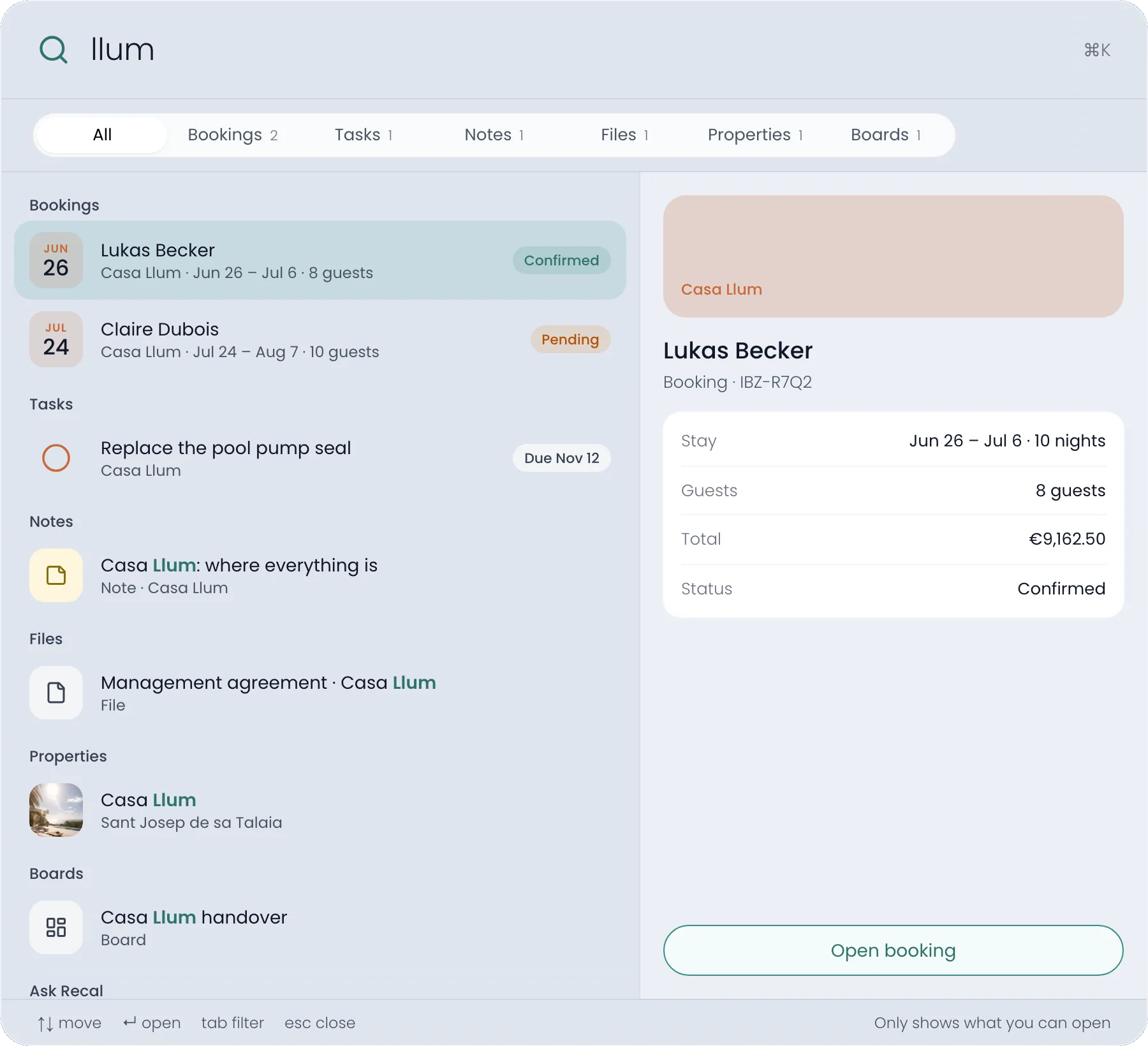
The search window with llum typed: two Casa Llum bookings, a task, a note, a file, the home itself and a board, with Lukas Becker’s booking previewed on the right

One box

A guest, a home or a page.

Search by a guest’s name, a booking reference, a home, a task, a file or a setting. Results come grouped, with the facts you need, before you open anything.
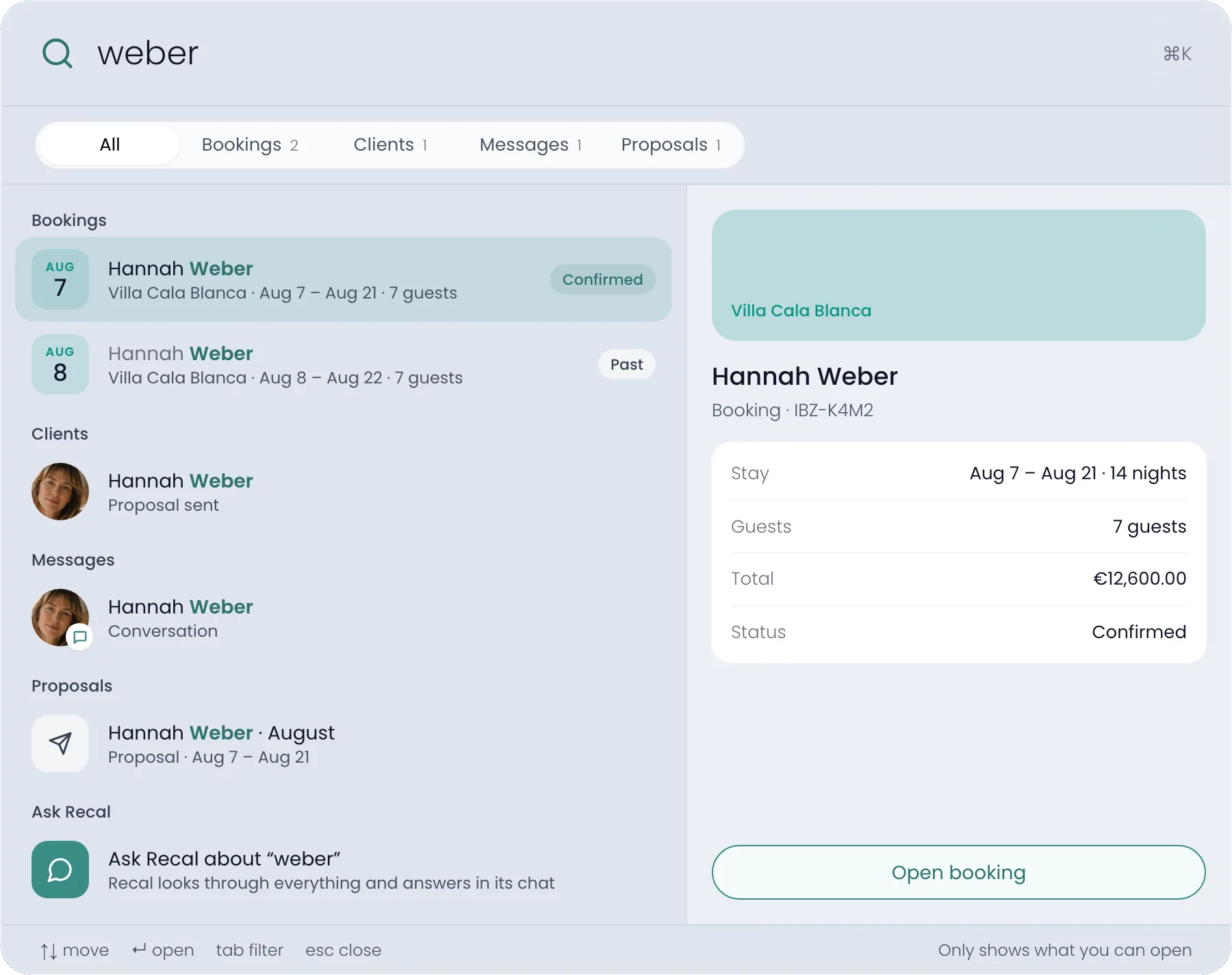
weber typed: Hannah Weber’s bookings, her client record, her conversation and her proposal, with this summer’s booking previewed
Facts before you open itA booking shows its nights, guests, total and status beside the list.
From the keyboardArrows to move, Enter to open, Tab to narrow to bookings or tasks.
Spelt your way“jose” finds José. Two letters are enough to start.

Only what you can open

Everyone sees their own Recal.

The same reach as the pageSearch reads each kind from the same place its page does, so it never shows more.
Prices where you see pricesA booking’s total only shows if you can see prices on that home.
Titles, not contentsIt finds names and titles. The words inside messages, notes and files aren’t searched.

On the phone

Just as quick on your phone.

Tap the search field on the More page and the same search opens full screen, with the best match on top.
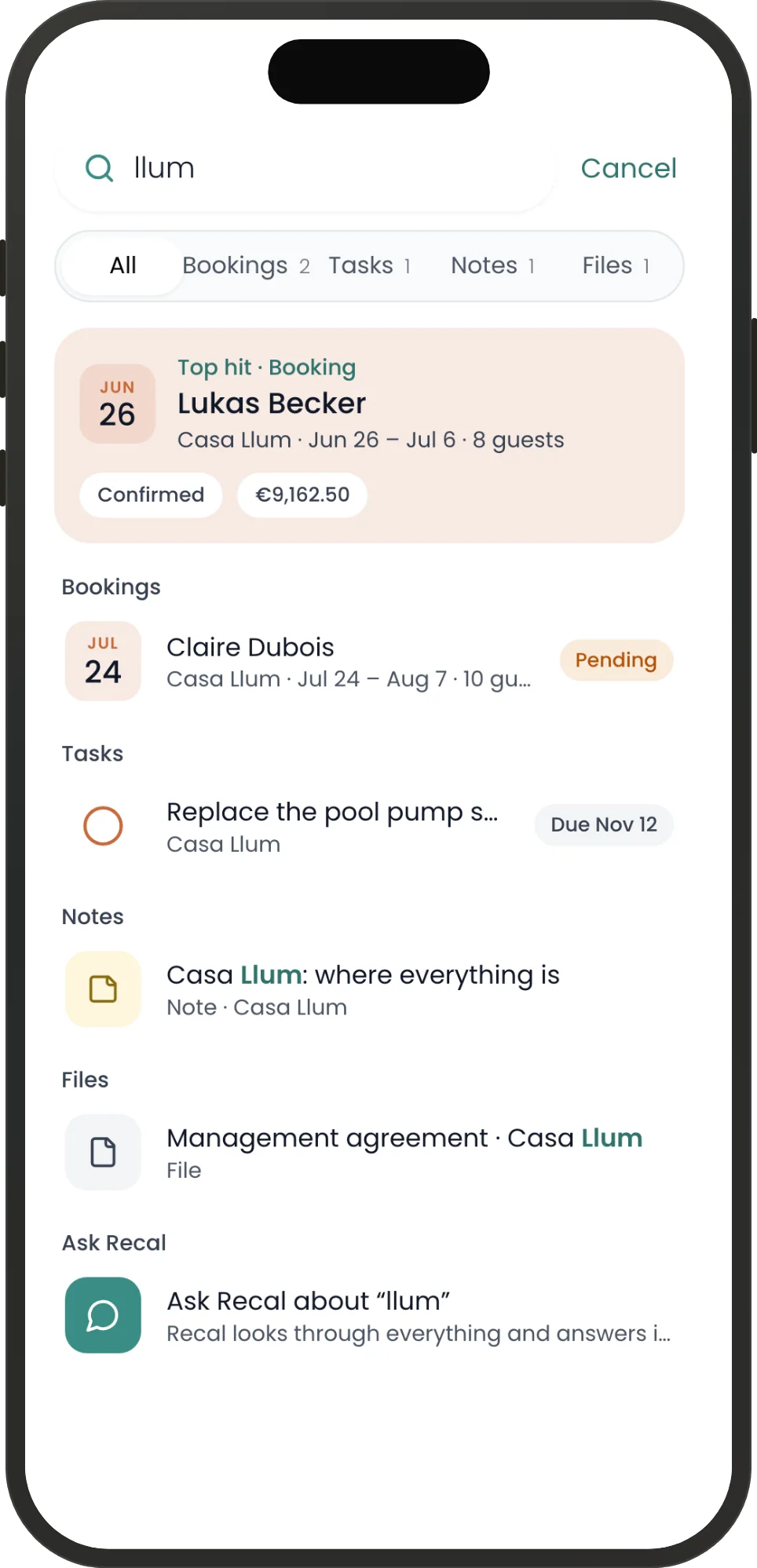
Only what opens on a phoneIt lists the things your phone can show, so every result lands somewhere.
Your last sixWhat you opened recently is kept on this device until you log out.
Help and settings tooFind the setting you’re after, or the help that explains it.
Search on a phone: llum typed, Lukas Becker’s booking as the top hit with its status and total, then the other results

Recal’s AI agent

Or just ask.

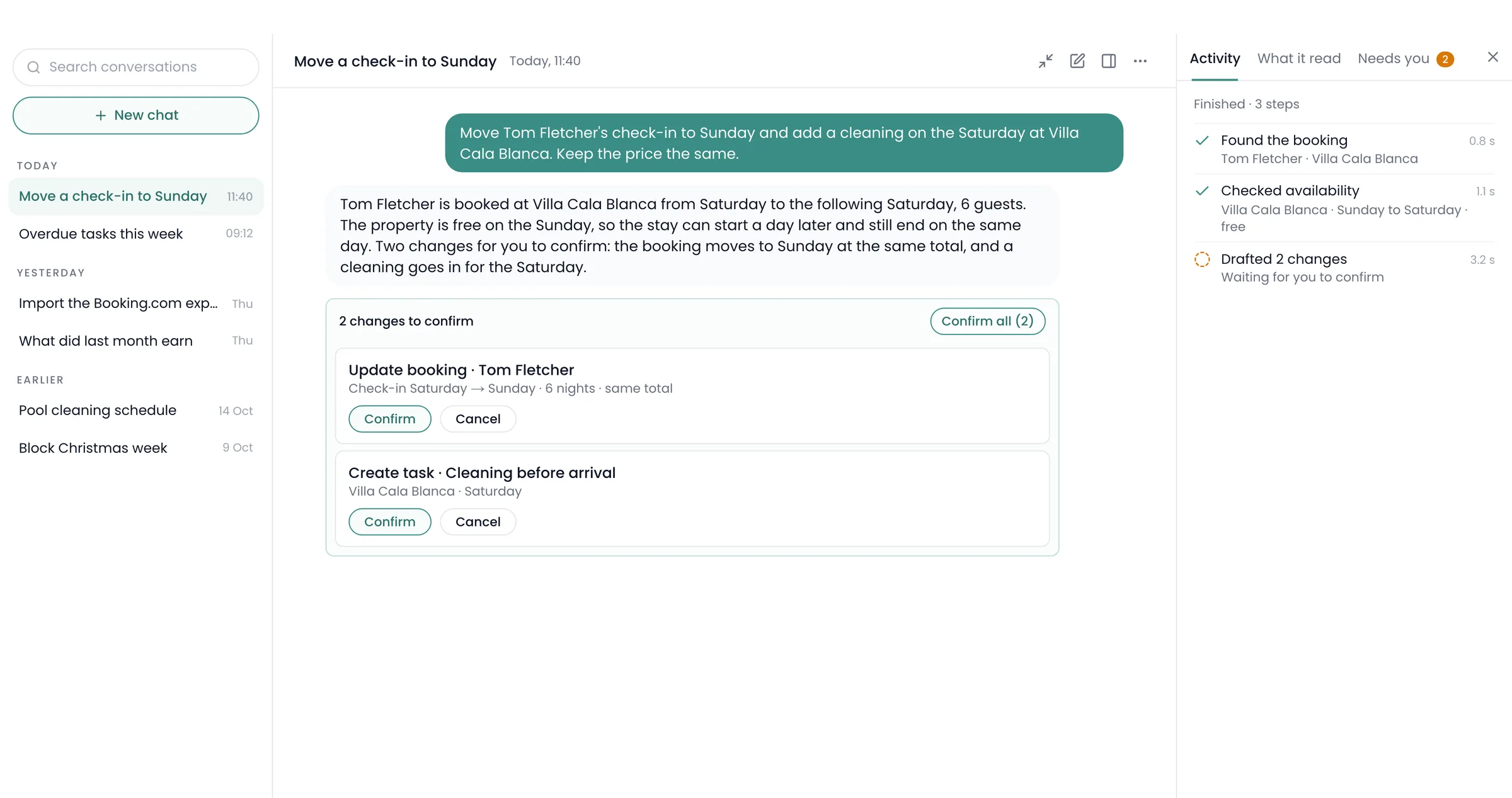
When a name isn’t enough, ask in words. The search window hands your question to the agent.

Next at Casa Llum
Who’s next at Casa Llum?
Lukas Becker, from 26 June 2027: eight guests for ten nights, confirmed.

Questions

What people ask about search.

Which plan includes search?

Every plan, and staff accounts too. Each person only finds what they can open.

How do I open it?

Press ⌘K on a Mac or Ctrl+K on Windows, on any page, or click Search in the top bar.

Does it search inside messages and notes?

No. It finds them by name and title, not the words inside.

What does it remember?

The last six things you opened, on this device only, until you log out.

Does it work on my phone?

Yes, from the search field at the top of the More page.

Keep looking
Stop clicking through pages to find one booking.

Save more time. Make more money.