Recal 318 November 2026
One link for your guest. One page for your owner.
Everything a guest needs before, during and after the stay, on a page they open from one link. And everything an owner asks you about, on a page of their own.
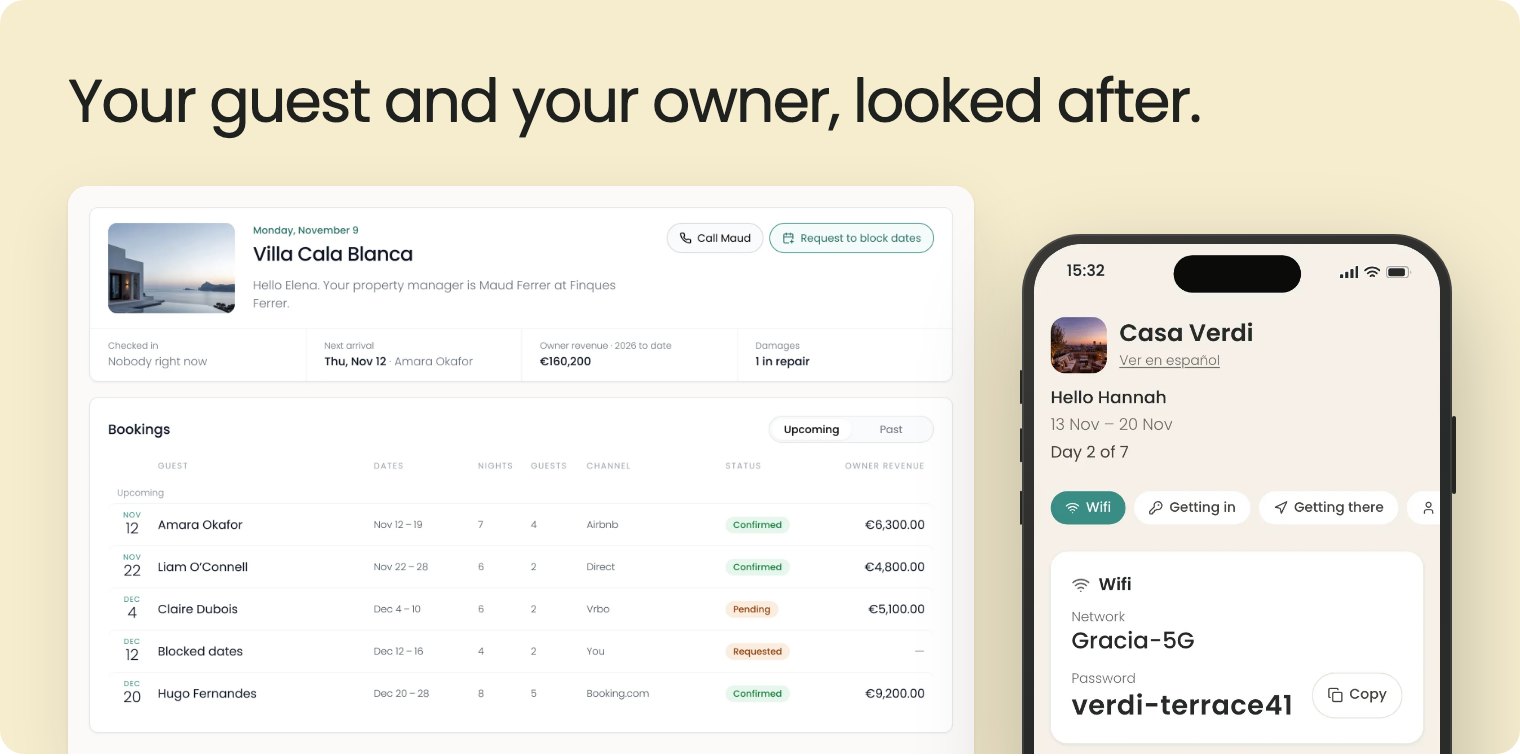
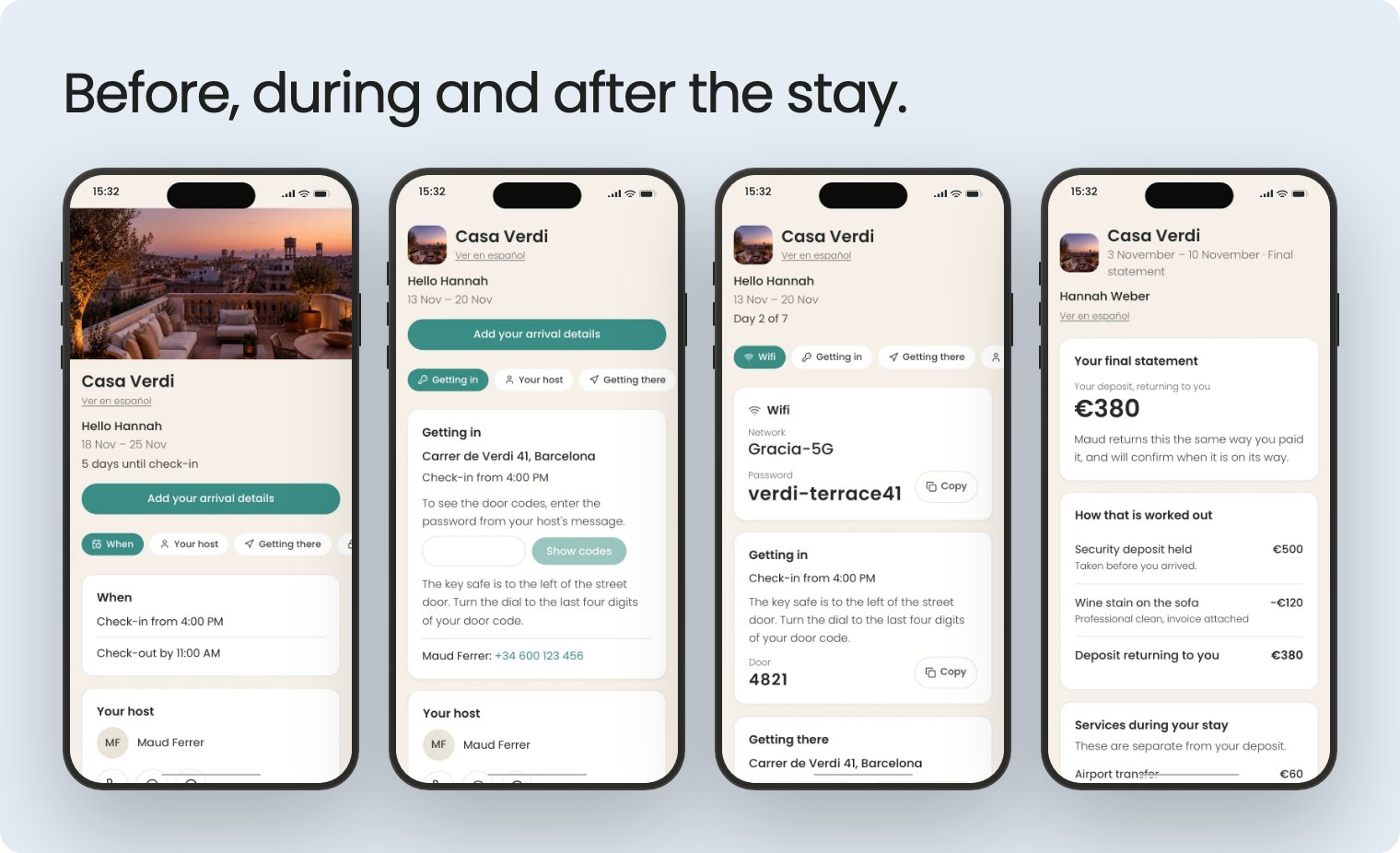
The only page your guest needs
Send one link and your guest has the address and directions, the Wi-Fi, your number and any house documents you choose. The door code appears two days before arrival, or on the day if you prefer. After they leave, they get their deposit statement: what comes back, and why. Set it up once for each property in a few short steps.
Owners, kept in the loop
Each owner's page now shows the maintenance on their house and a statement to download for every month and year. They can ask you to block dates for themselves, and you decide what they see.
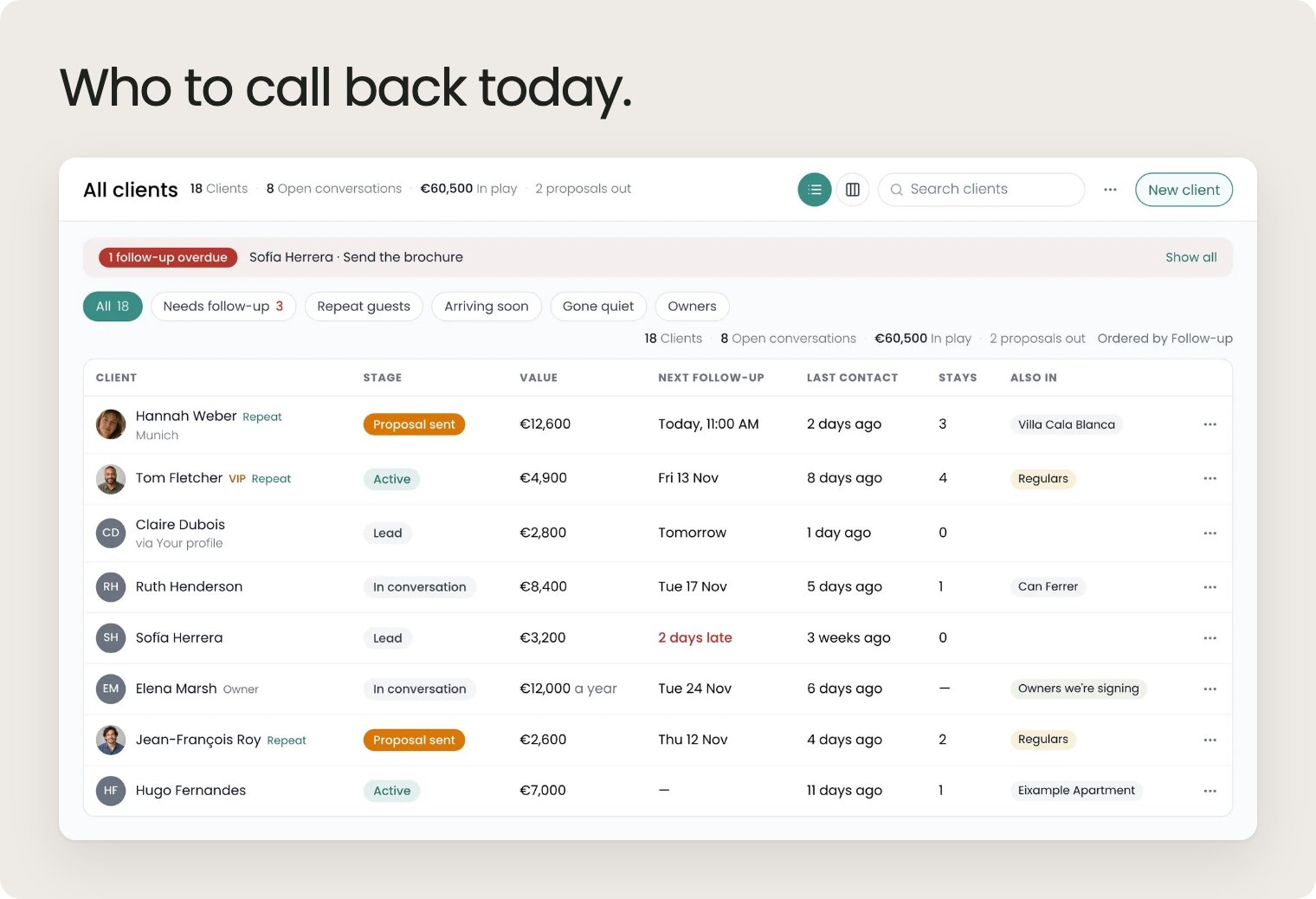
Every client, every follow-up
The new Clients page keeps everyone you work with in one list: where each one stands, what they're worth and when to get back to them. And when a regular hasn't booked by their usual time, Recal lets you know.
Ask for a selection
Visitors to your company page can now ask you for a selection of properties. The request lands in your inbox and becomes a lead in Clients, ready for you to send a shortlist.
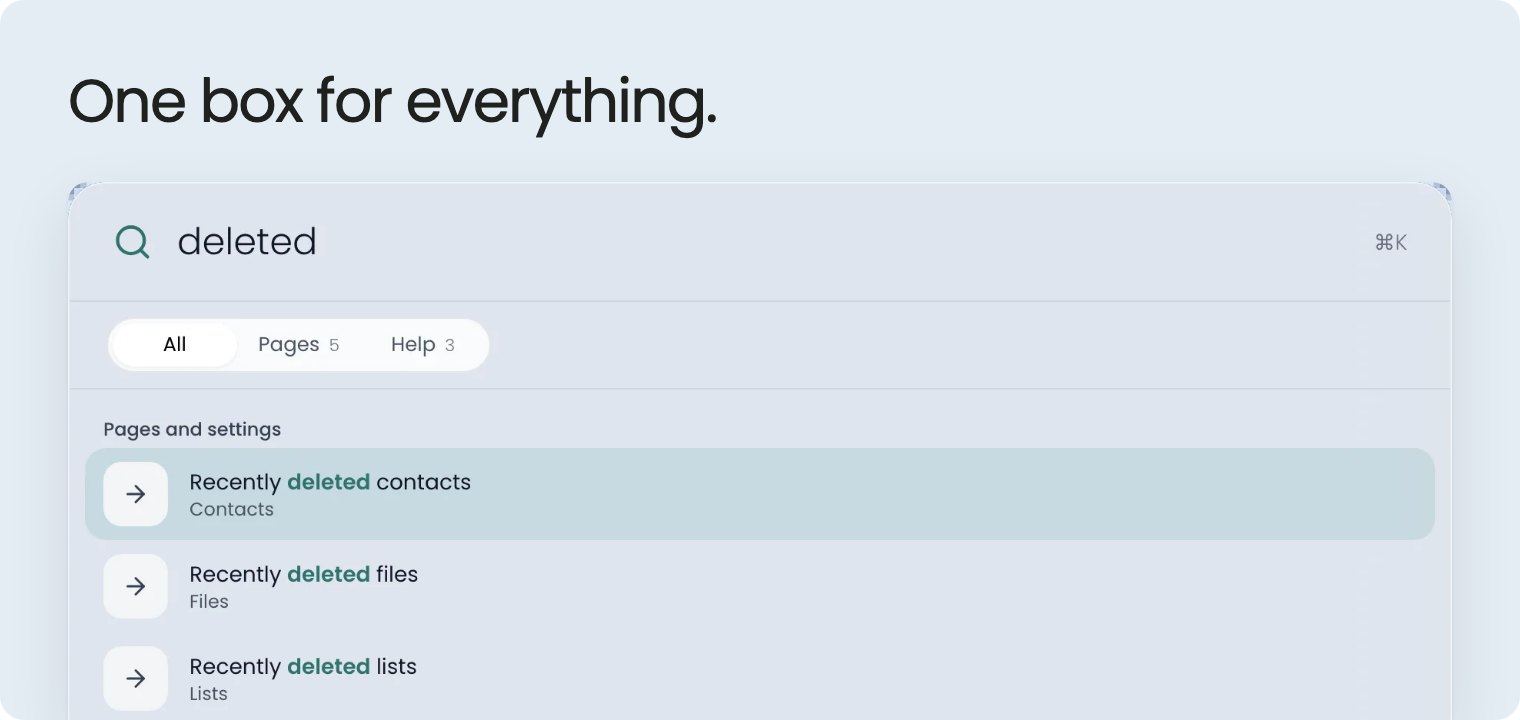
Find anything, from anywhere
Press ⌘K on any page and type. Recal searches your bookings, properties, clients, contacts, messages, tasks, notes, lists, files, boards and more at once, and finds pages, settings and help too, so "deleted" takes you straight to Recently deleted. If the answer isn't there, ask Recal about it in one click.
Folders, everywhere
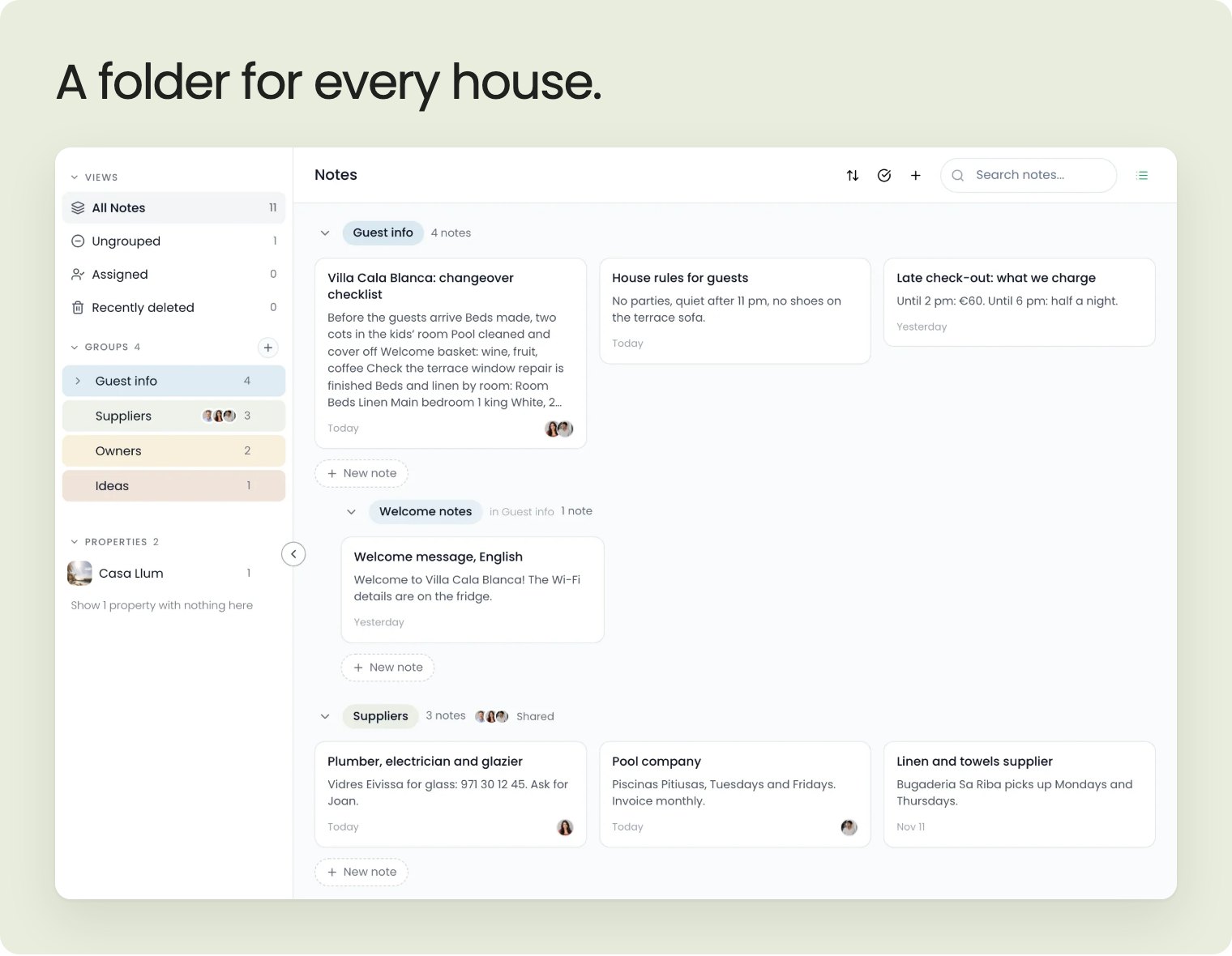
Notes, lists, tasks, files, contacts and clients now work like folders: folders inside folders, one for every property, and shared folders that show what's new since you last looked. Deleted something by mistake? It waits in Recently deleted for 30 days.
Files you can see
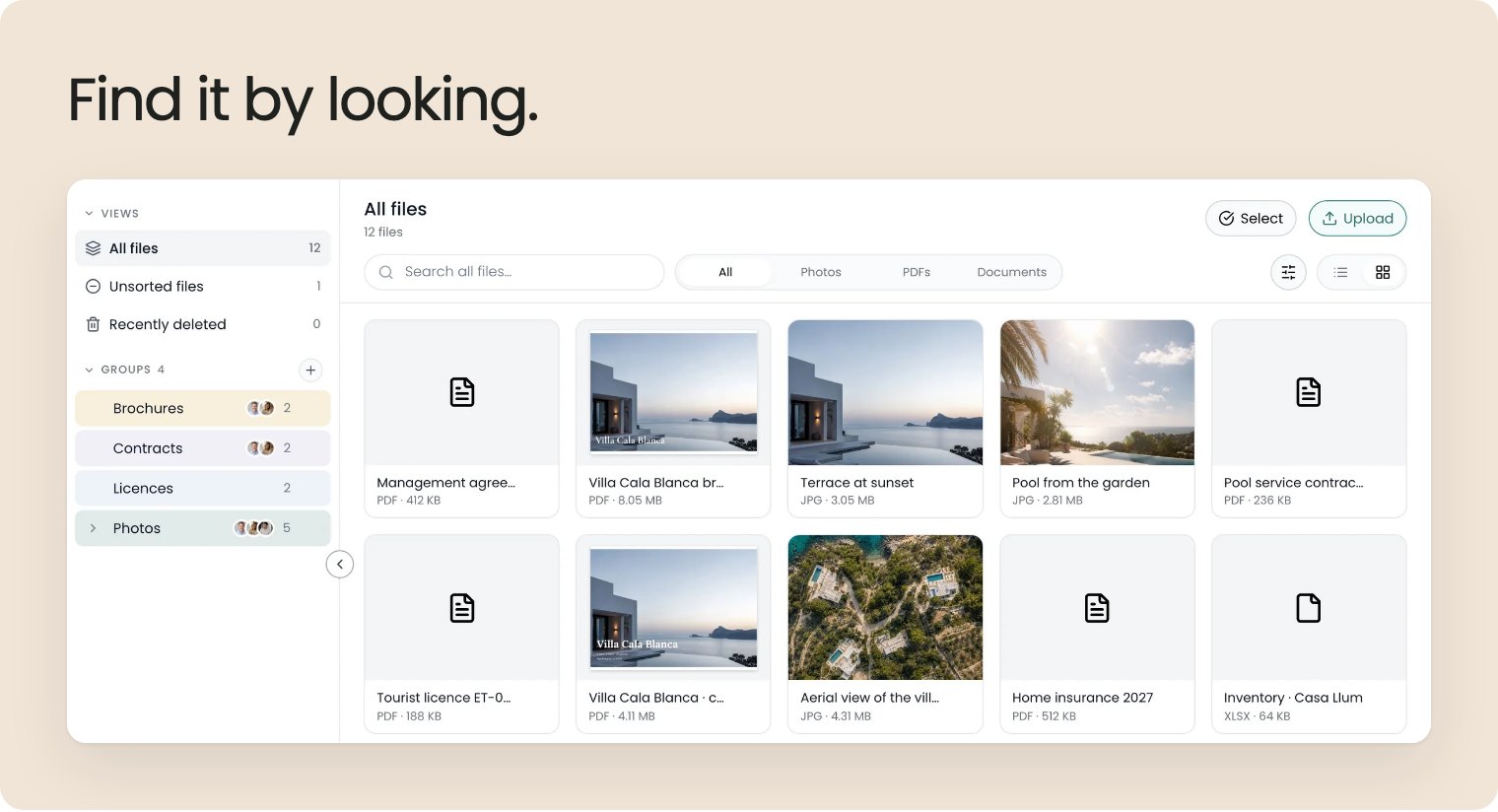
Every file gets a cover, so you find the contract or the floor plan at a glance. Drag files in from your computer, move, download or delete several at once, and share a whole folder with your team.
Inventory you can walk through
Each property's inventory now works like Files: rooms down the left, what's in the room in the middle, and the item you click opens beside the list. Counting a room is click, plus, next. Four boxes at the top show what to restock, what's damaged and which services are coming up, and items that are fine stay quiet.
The booking page, rebuilt
Each booking now tells you the next step, whether everything's ready for the stay, and what's happened so far. Tasks got the same care: a calmer list in folders, and everything about a task in one drawer.
Boards you work on together
Start from one of the new built-in templates or an example board. Add stickies, arrows and drawings, leave comments for your team, and see their cursors move as they work.
Ask Recal gets its own page
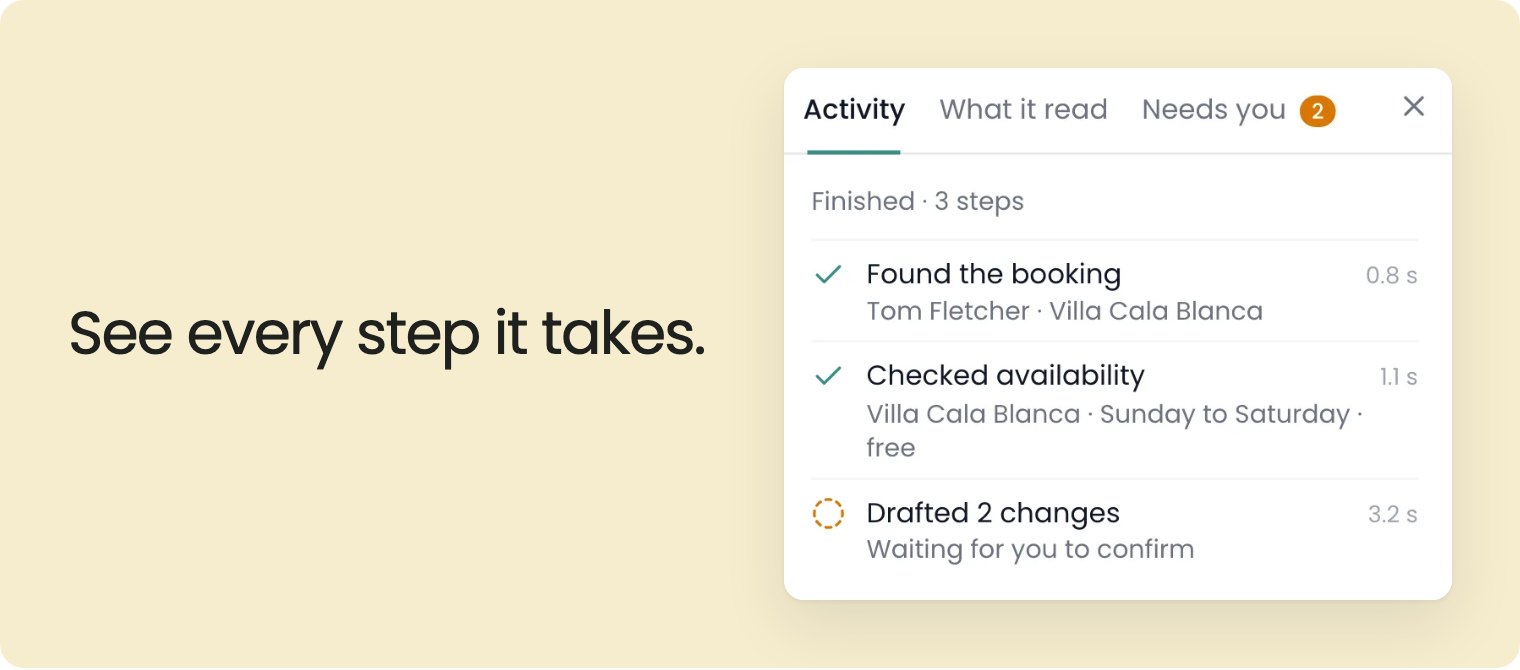
For longer jobs, open Ask Recal full-screen: your past conversations, every step it took, and everything that's waiting for you to confirm.
A calmer Home
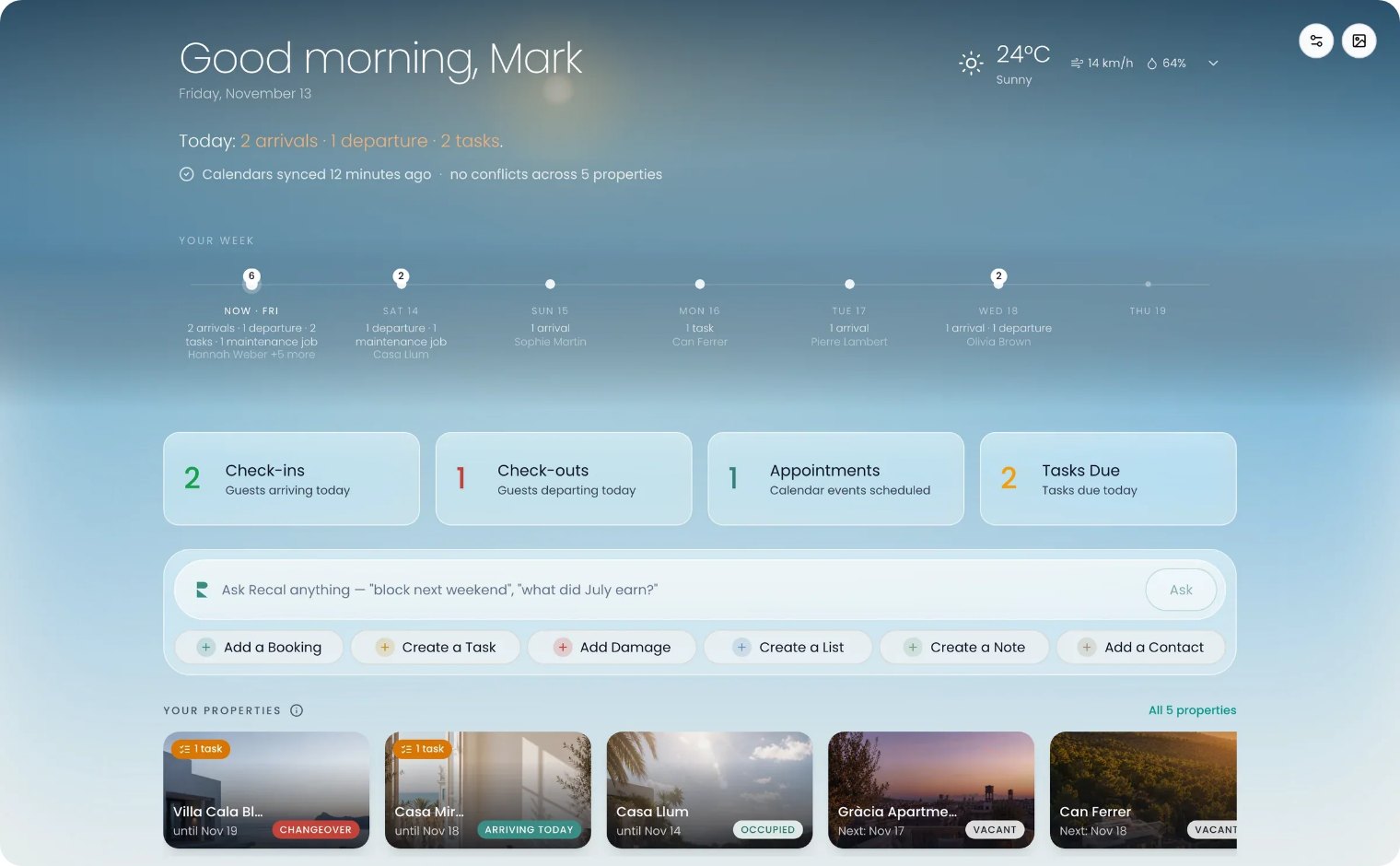
Today's arrivals and departures and what's coming up, in one place, under a sky that follows the weather where you are.
Plus hundreds of smaller touches, fixes and security upgrades you'll never have to think about.